Adding & Editing Users
v1.0.0+ Admin OnlyUser accounts are managed by an administrator from the admin dashboard, separately from adding someone to a specific project. This covers both adding a new person to GeckoFlag and updating an existing user's details later.
Adding a New User
- 1Log in with an administrator account.
- 2In the sidebar, open Users under Admin.
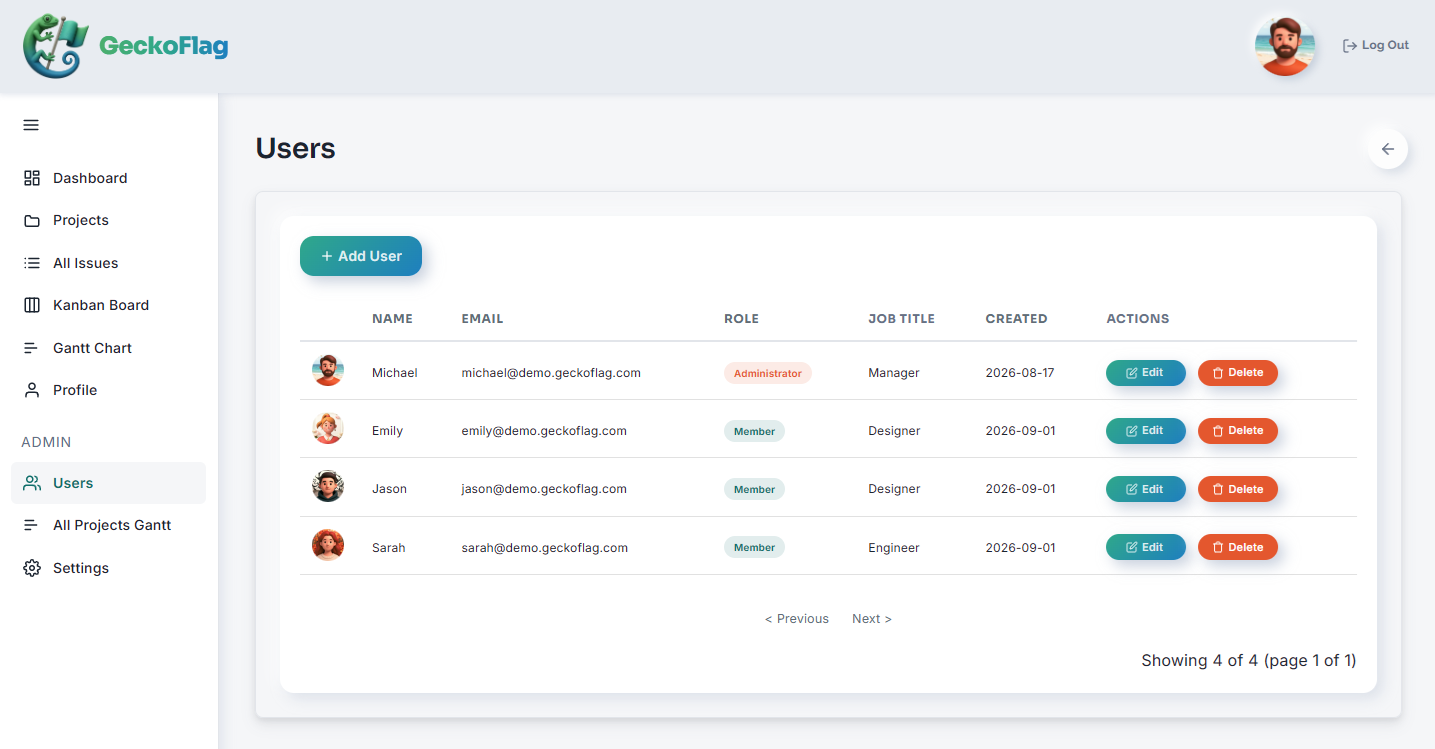
- 3Click Add User and enter the person's name, email address, role, and department.
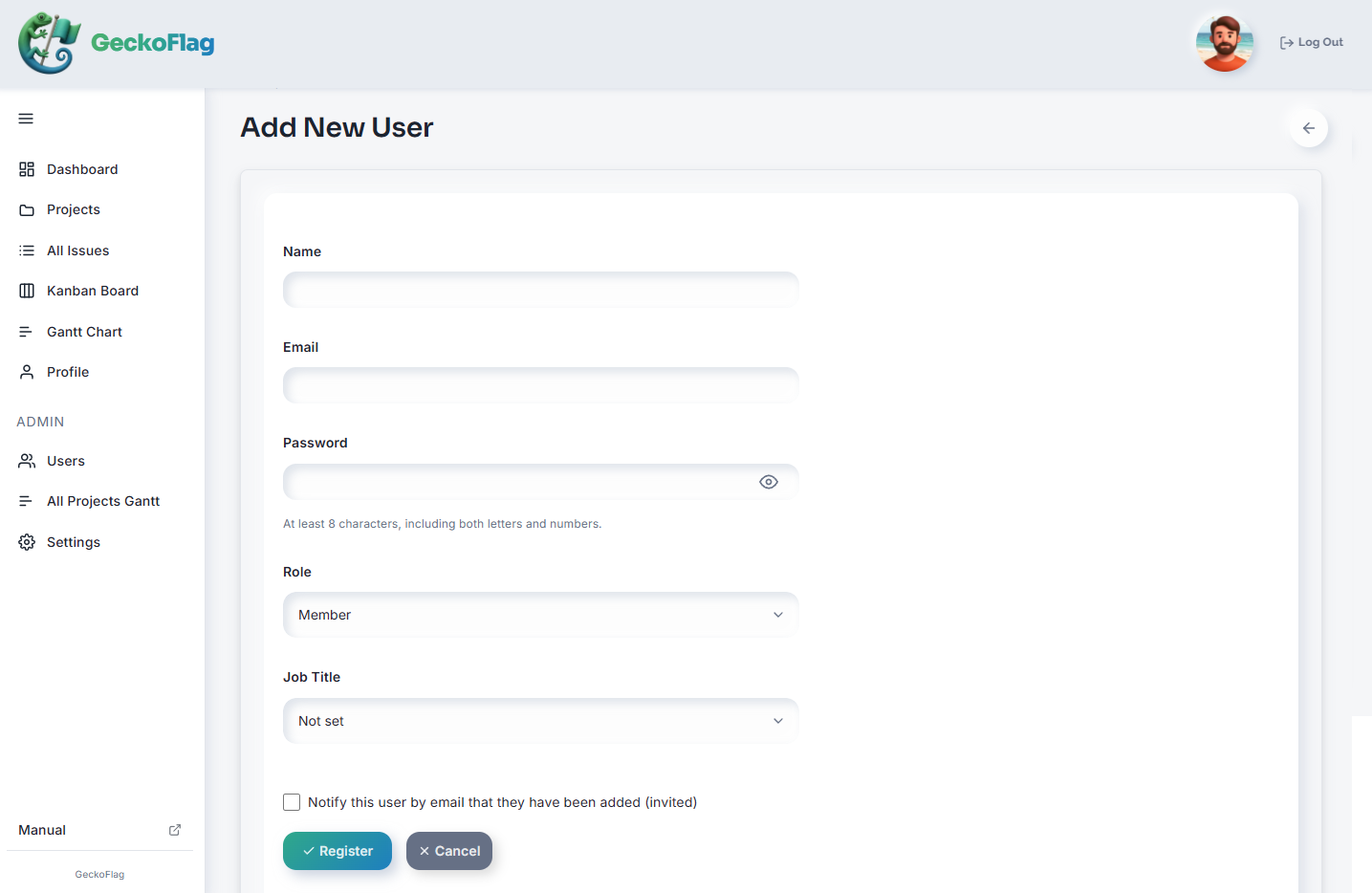
- 4Save to create the account, then add them to the relevant projects.
Editing an Existing User
- 1Log in with an administrator account.
- 2In the sidebar, open Users under Admin.
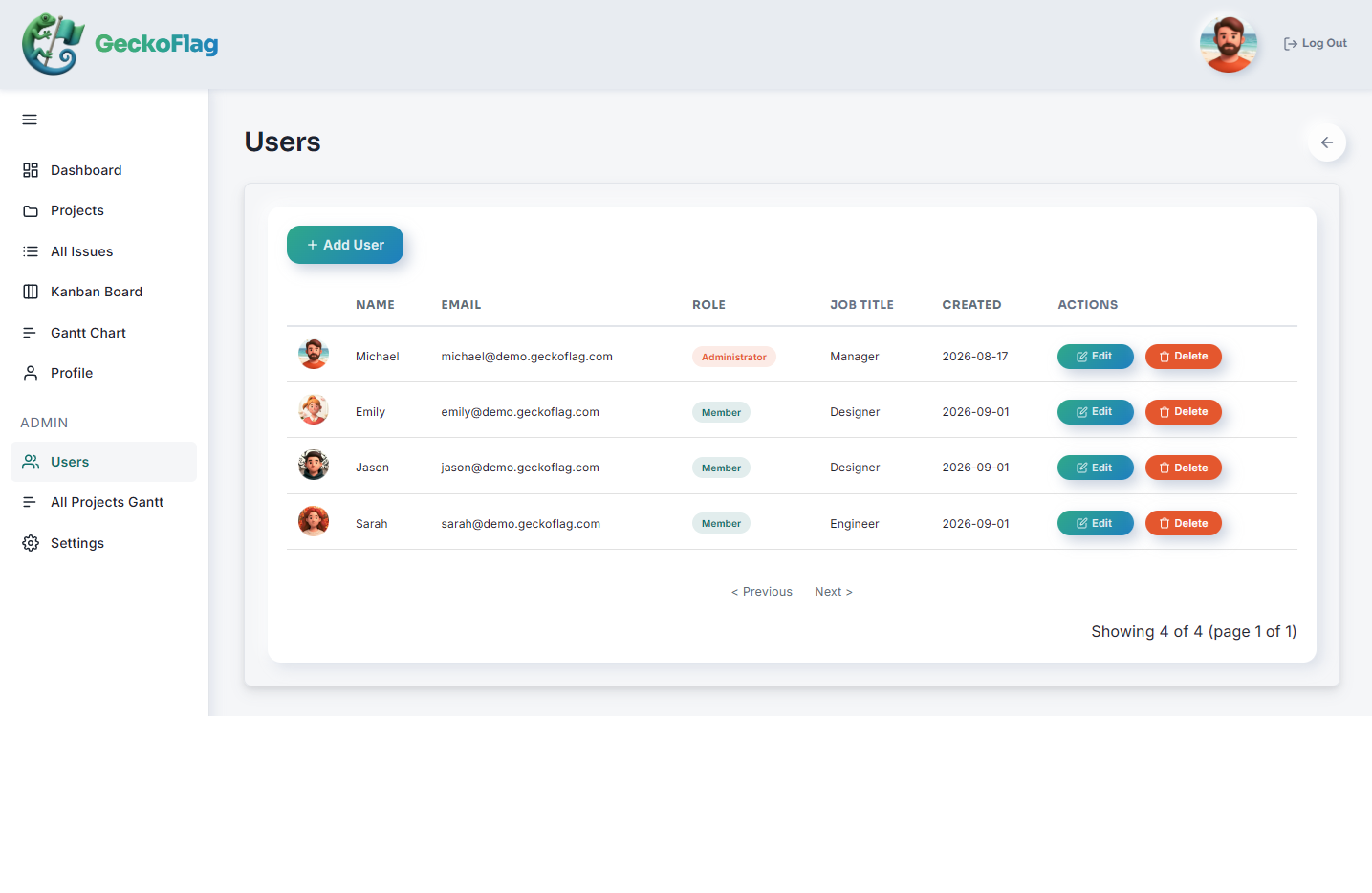
- 3Select the user you want to update, then edit their name, role, department, or other details as needed.
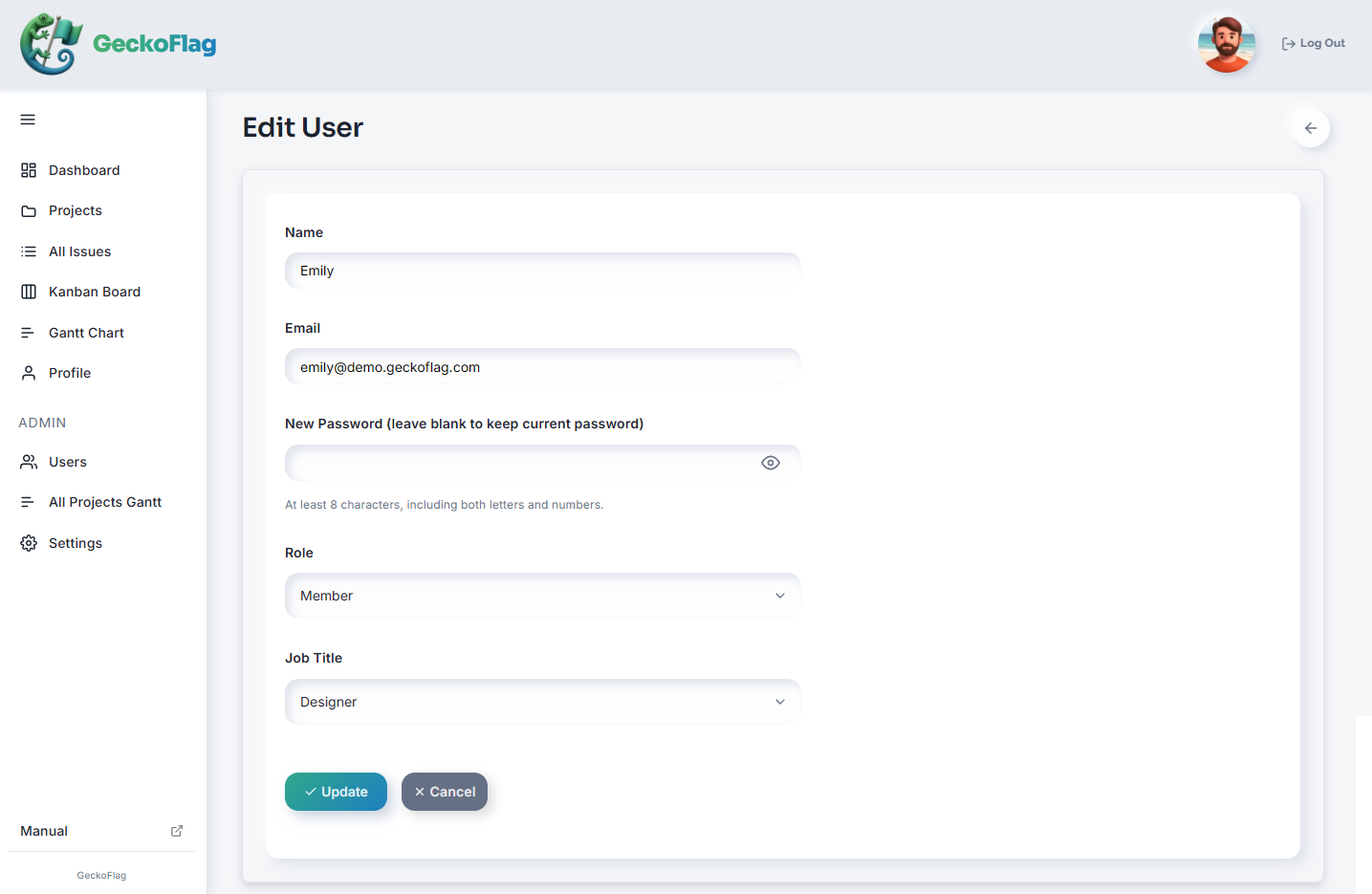
- 4Save your changes. To remove someone's access, you can delete their account from the list screen.
Roles & Departments
Roles and departments can be freely set for each user, so you can match GeckoFlag's structure to how your team is actually organized.
About Adding & Removing Users
- Users are not notified of their password by email.
- Not all administrator accounts can be deleted.
About Login & Passwords
- Passwords must be at least 8 characters long and contain both letters and numbers (up to 72 bytes; characters such as accented letters or Japanese count as 2 to 4 bytes each).
- After repeated failed login attempts, login is temporarily blocked to prevent unauthorized access. The block is lifted automatically after 15 minutes (there is no screen for administrators to lift it).
- When a user is deleted or their password is changed, any screens logged in on other devices are also logged out at their next action (v1.9.5+).
- If GeckoFlag runs behind a CDN or reverse proxy, also see the notes in Installation.