Custom Branding
v1.0.0+ Admin OnlyGeckoFlag lets you freely change the site name, logo, and footer text from the admin dashboard, so you can tailor the interface to your own brand or your client's.
Changing Your Branding
- 1Log in with an administrator account.
- 2Go to Settings and open General Settings.
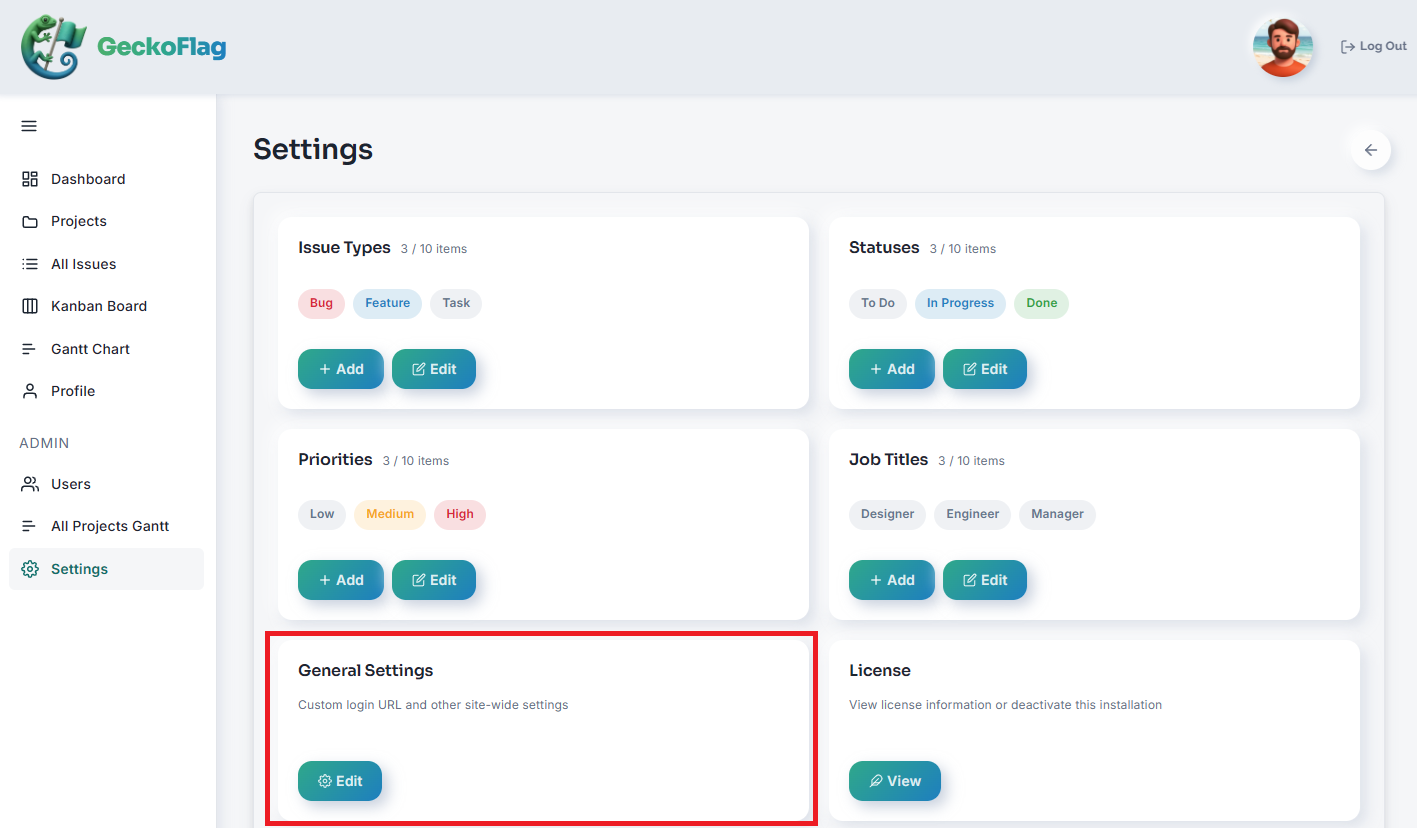
- 3Update the site name, logo, and footer text as needed.
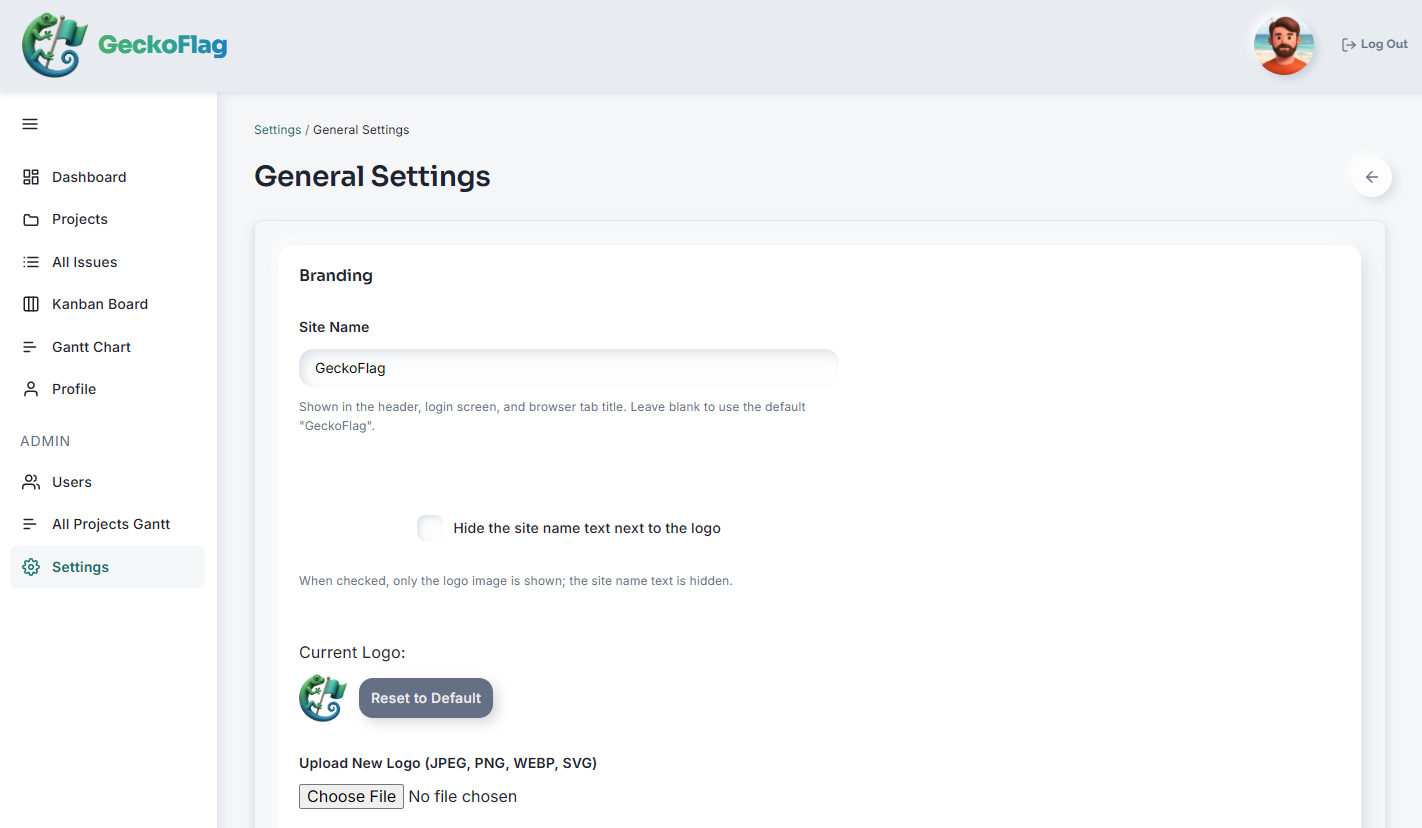
- 4Save your changes to apply them across the interface.
What You Can Customize
- Site Name — the name shown throughout the interface. Note: its color can't be changed, but you can choose to hide the site name text.
- Logo — replace it with your own or your client's at any time. JPEG, PNG, and WebP images are supported (the favicon also accepts ICO). SVG is not supported.
- Footer Text — customize the text shown in the sidebar menu's footer.