Adding & Editing Projects
v1.0.0+A project is the top-level container for your team's work in GeckoFlag — every issue, comment, and file lives inside one. Here's how to create a new project and keep its details up to date.
Creating a New Project
- 1From the project list, click New Project.
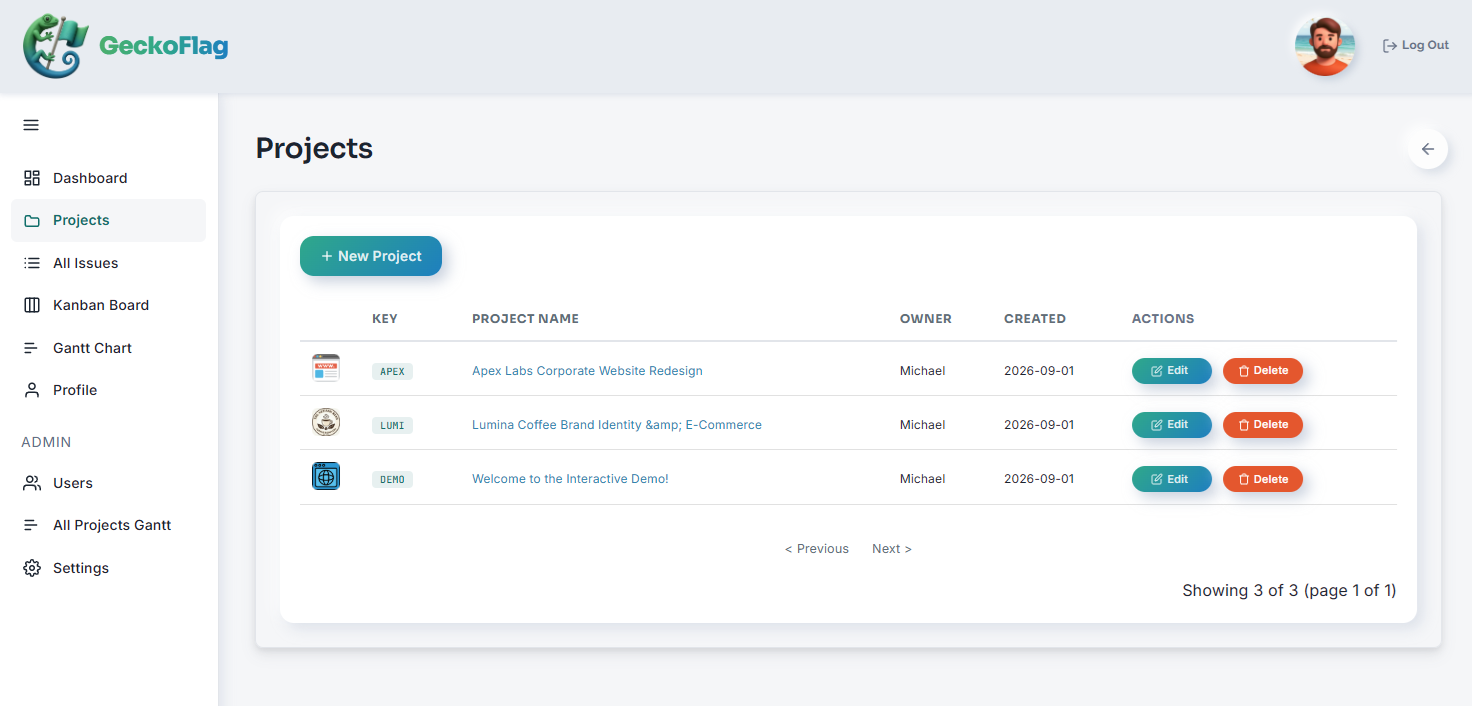
- 2Set the following:
- Project Key
- Project Name
- Description
- Project Owner
- Thumbnail (shown in the project list)
- Start and end dates
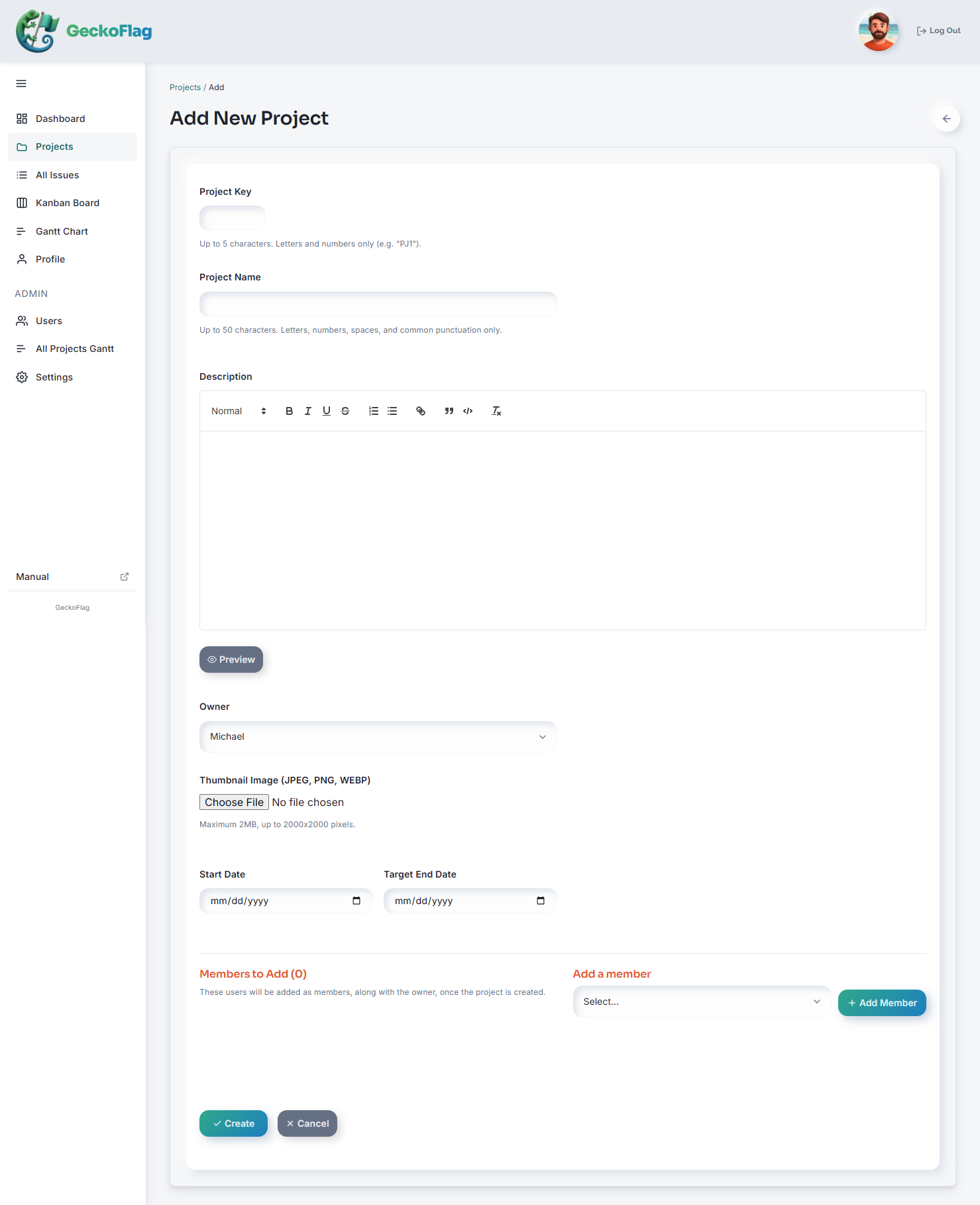
- 3Add the members who'll work on this project. (They'll be notified by email that they've been invited to the project.)
- 4Save to create the project — it's ready for issues right away.
About Projects
- There's no system-imposed limit on how many members can join a project — it depends on your server's capacity.
- Each project has its own project key, which is also used to match rows when importing issues via CSV.
- Thumbnails can be JPEG, PNG, or WebP images of up to 2MB and up to 2000×2000 pixels.