Adding & Editing Issue Types
v1.0.0+ Admin OnlyEvery issue in GeckoFlag can be tagged with an issue type (such as Bug, Task, or Feature) alongside its status, priority, and other details. Administrators can add and edit the available issue types from the admin dashboard to match how your team classifies work.
Adding an Issue Type
- 1Log in with an administrator account.
- 2Go to Settings and open the Issue Types section.
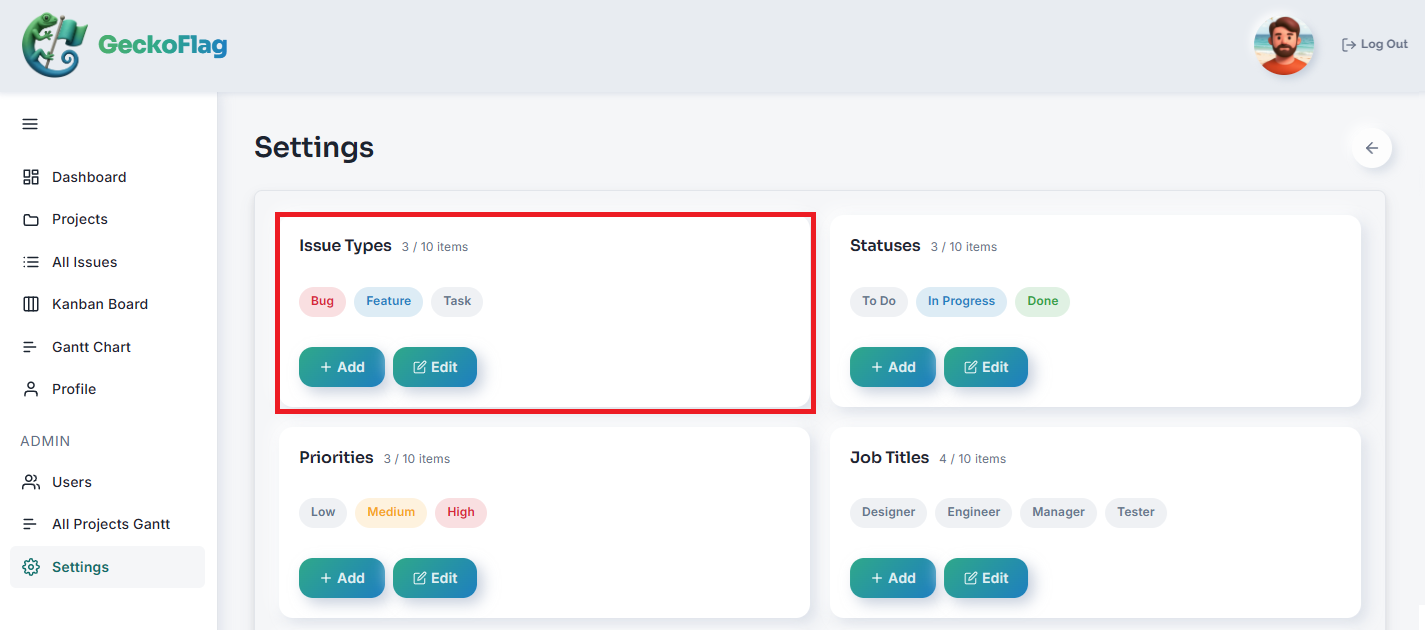
- 3Click Add and enter a name and set a color.
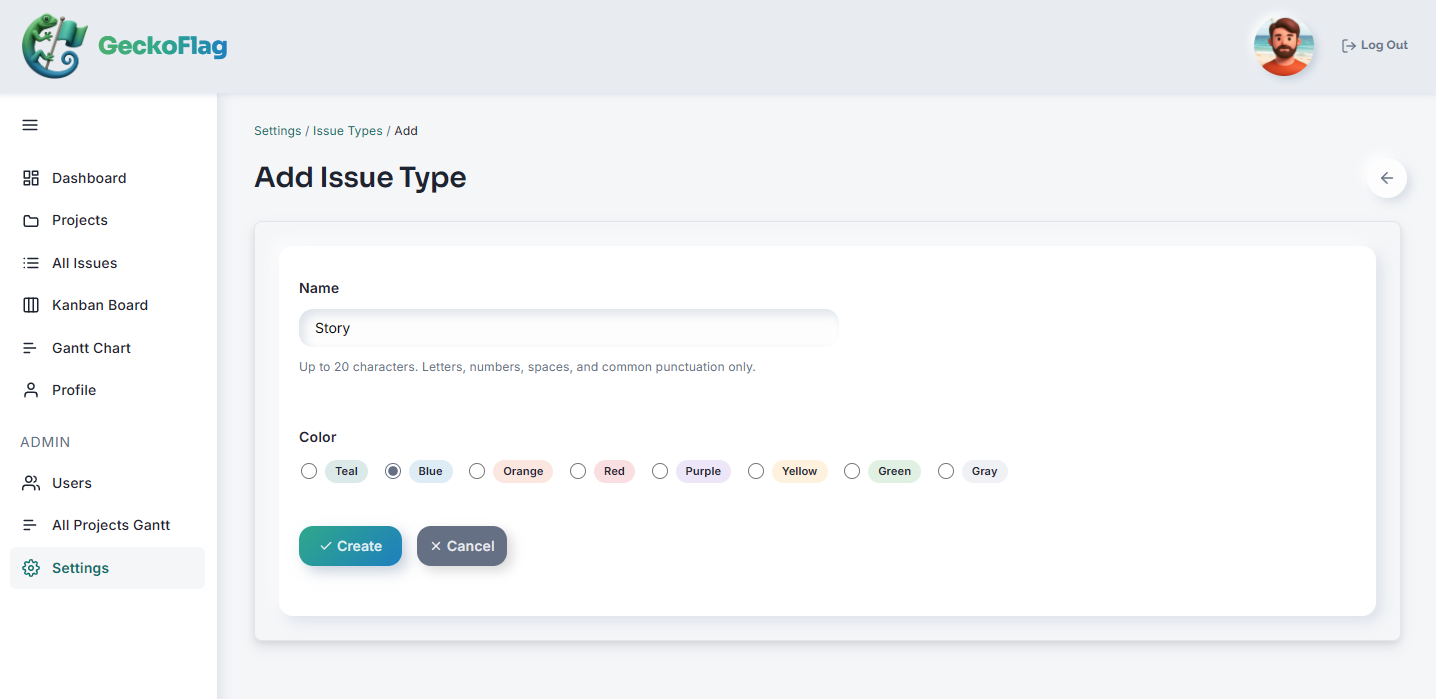
- 4Save to add it to the list of available issue types.
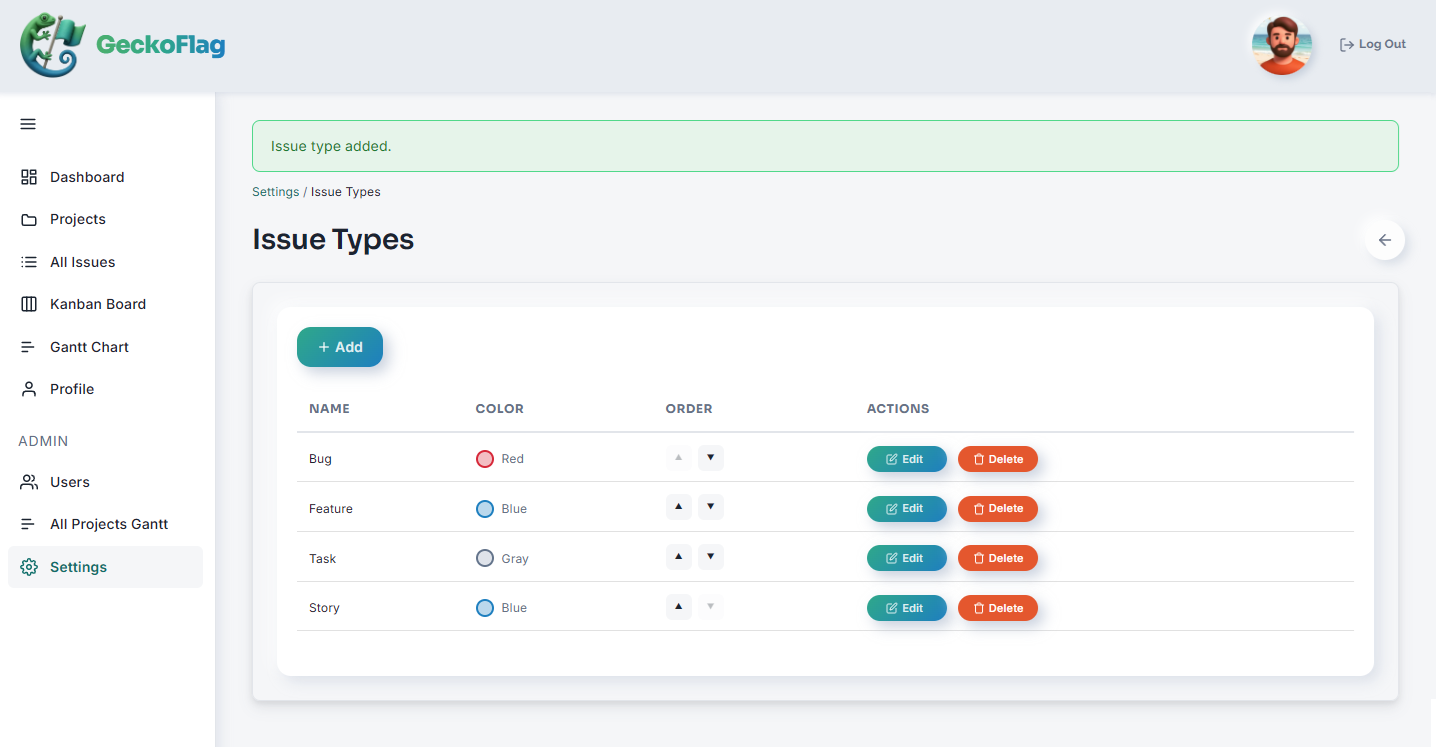
Editing an Issue Type
- 1Go to Settings and open the Issue Types section.
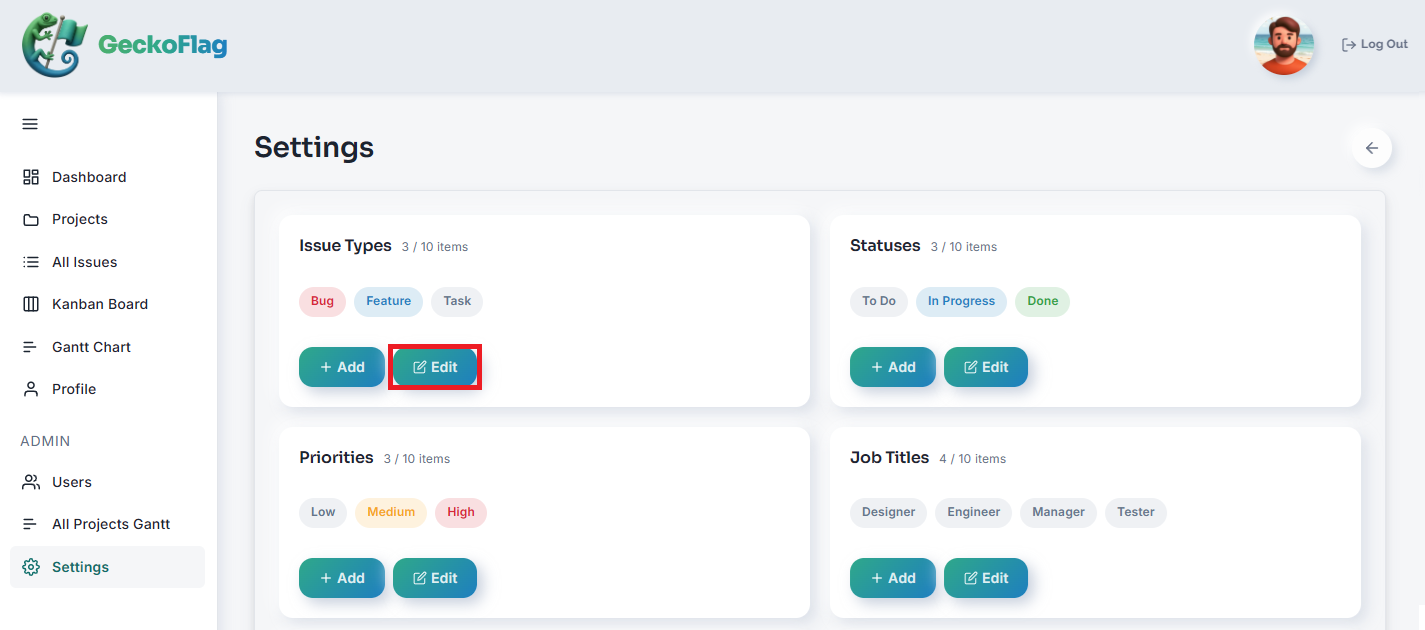
- 2Select the issue type you want to edit and update its name and set a color as needed.
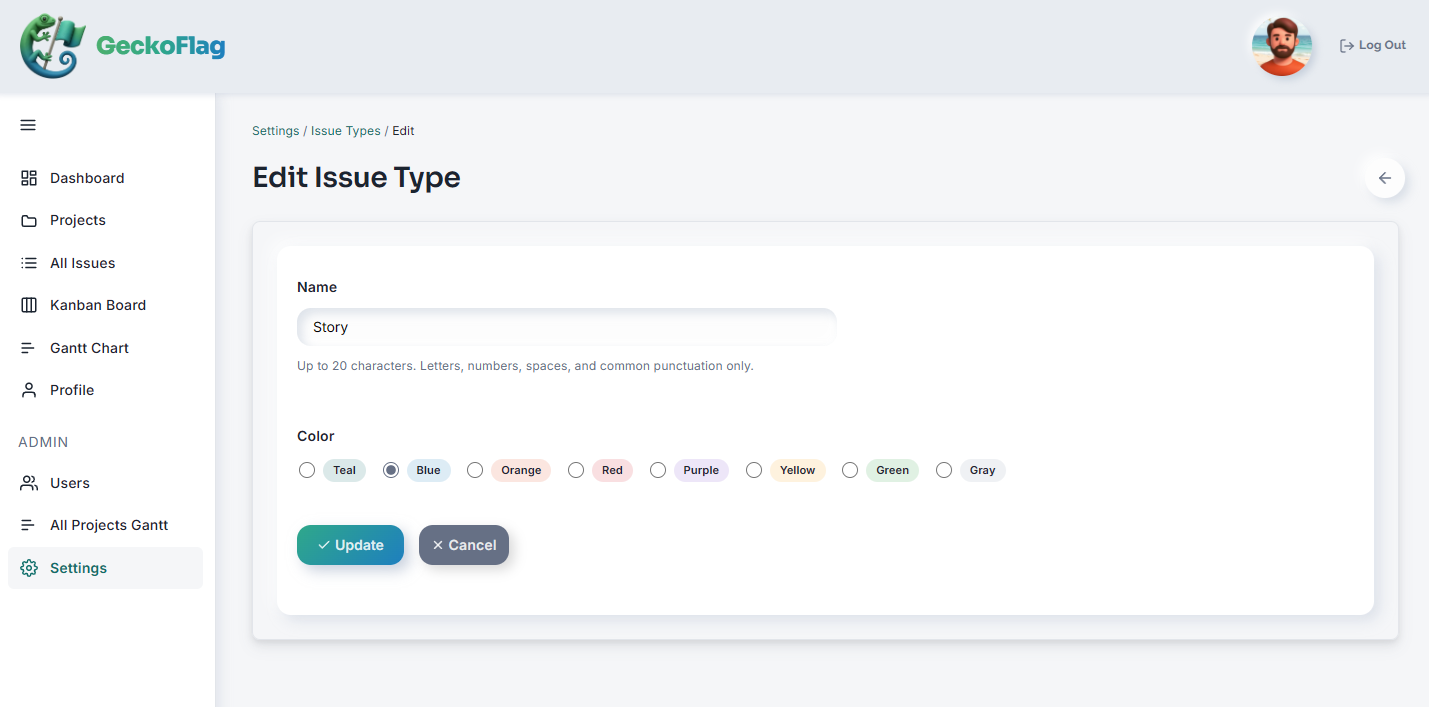
- 3Save your changes to apply them.
About Issue Types
- Issue types you add appear as selectable options when creating or editing an issue.
- Each issue records one issue type, along with its status, priority, assignee, and other details.
- Issue types can be registered up to 10 in total.