Series: Your First Project Management ToolPart 4
Does a Small Team Really Need One? Three Questions That Tell a Team of Two to Five Whether It Needs a Tool
About this series
“Your First Project Management Tool” is a six-part series for people who have never used one. You can read the parts in any order.
- What Is a Project Management Tool? What Changes When You Have One
- Where Does an Excel Tracking Sheet Hit Its Limit?
- Why Do Requests in Email and Chat Get Lost?
- Does a Small Team Really Need One?This article
- Why Tools Go Unused After Rollout, and What to Decide First
- What to Look For When Choosing Your First Tool
A company with three employees is exhibiting at the trade show again this year. The person who ran last year’s preparations left in the spring.
“Where did we rent the equipment?” “How many brochures did we print?” “When did we send the invitations?”
Last year’s plan existed only in the head of the person who left, and in their email inbox.
“There are only three of us, so we can just ask each other.” You hear this often in small teams. And in many cases, it works.
This article looks at whether a small team really needs a project management tool. We are honest about the cases where it does not.
Note: this article is written by the developer of GeckoFlag.
Small teams often manage fine without one
Let us say this first: a team of two or three people can often run perfectly well without a tool.
- Everyone sees the whole picture: you roughly know who is doing what without asking.
- A quick word is enough: if you sit close together, checking takes one sentence.
- Decisions are fast: if you want to change how you work, you can talk it over and decide on the spot.
In this series, we have used the example of five people preparing for a trade show. Even with five, there were problems: going around asking for updates, and requests getting lost.
What if it were three people instead? With fewer people, there is less asking around. A request made in chat might be remembered before it slips away.
Being a small team is a real strength in itself. There is no need to force a tool on yourselves and add work.
Four situations that are hard precisely because the team is small
Still, small teams have problems that come from being small. They are problems that stay hidden in larger teams.
1When one person is away, work stops
In a small team, one person usually handles each job alone. There is nobody to step in.
If that person is out sick for a few days, the job stops, and nobody even knows how far it had got. In a team of five, one absence is a fifth of the team. In a team of three, it is a third.
SignPeople call you with work questions even on your day off.
2Everyone wears several hats and has a lot to remember
In a small team, one person handles sales, admin and trade show preparations. Each person tends to juggle far more tasks than one person in a large team.
All of it has to be kept in their head and their planner.
Sign“Oh, I forgot about that” happens several times a week.
3How recurring work is done lives in one person’s head
Trade shows, year-end accounts, holiday greeting cards. The steps for work that comes around every year or every time tend to stay in the memory of whoever did it, not in any record.
As in the opening scene, when that person leaves or the job changes hands, everything has to be worked out again from scratch. The smaller the team, the larger the share of knowledge one person holds.
SignEven for the same job as last year, you start with “How did we do this last year?”
4Once outside people join, the team is not really small
The company may have three employees, but trade show preparations also involve a designer, a printer, a booth contractor and part-time staff. Count everyone you deal with, and it can be more than ten people.
A quick word only works for the three people inside the company. With outside people, there is more back-and-forth by email and phone, and the “requests get lost” problem from Part 3 of this series becomes more likely.
SignYou keep explaining the same thing to outside people.
Decide with three questions, not by headcount
As these four situations show, whether you need a tool is not decided by the number of people alone. These three questions make the decision easier.
1If someone were away for a week, would any work stop?
If so, the history of that work needs to be kept somewhere people other than that person can read it.
2Do you repeat the same work every year or every time?
If so, recording how you did it this time means you will not have to work it all out again next time.
3Do you work on anything together with outside people?
If so, being able to see requests and their history in the same place as the outside people saves a lot of explaining.
How to read the answers
If all three answers are “no,” you probably will not struggle without a tool for now. Keep working by talking to each other.
If even one answer is “yes,” it is worth thinking about keeping at least that work in a tool. This is true whether you are two people or three.
While there are few people and few rows, an Excel sheet may be enough. When a team can stay with a sheet is covered in Part 2 of this series.
If a small team starts, start small
When a small team brings in a tool, the important thing is not to move all of its work over at once.
- Start with one piece of work: for example, put only the next trade show preparations into the tool. Day-to-day small tasks can stay as they are.
- Use just three statuses: “not started,” “in progress” and “done.” Finer categories can wait until you are used to it.
- Decide who writes things in: with three people, ideally everyone writes in it. If that is hard, start with one person entering items while the others just look.
- Keep finished work instead of deleting it: finished tasks and the record of their back-and-forth become the plan for next time. This is the answer to question 2.
Bringing in a tool only to see it go unused happens regardless of team size.
SeriesWhat to decide when you start is covered in detail in Part 5, “Why Tools Go Unused After Rollout, and What to Decide First”
What small teams should watch for when choosing a tool
When a small team chooses a tool, it needs to watch for different things than a large team.
How pricing works
Tools are priced in a few different ways.
- Monthly fee per person: the monthly price goes up each time one more person uses it.
- Fixed monthly fee: the monthly price is set for each range of team sizes.
- One-time purchase: you pay once at the start, with no monthly fee.
- Free plan: free to use, but there are often limits on people or features, and you switch to a paid plan once you go over them.
For a small team, any of these can look cheap per month. But a tool is used for years. Comparing what it costs over three years makes the differences easier to see.
How outside people are handled
If you answered “yes” to question 3, check how you can invite outside people. Do they count toward the number of paid users? Can you limit what they see? Tools handle this differently.
How many features there are
A tool with many features can do a lot, but it also comes with more to set up and more to learn. In a small team, few people have time to spend configuring a tool.
For a small team, we suggest checking “can everyone start using it without an explanation?” before counting features.
SeriesHow to choose, from start to finish, is covered in detail in Part 6, “What to Look For When Choosing Your First Tool”
Summary
A team of two or three people can often run fine without a tool. Being small is a strength in itself.
Still, there are situations that are hard precisely because the team is small. To decide whether you need a tool, think about these three questions rather than headcount:
- If someone were away for a week, would any work stop?
- Do you repeat the same work every year or every time?
- Do you work on anything together with outside people?
If even one answer is “yes,” it is worth thinking about keeping at least that work in a tool. If you start, start small, with one piece of work.
If you want to try one
If you are thinking “maybe we could try it for just one piece of work,” here is one option: GeckoFlag, the tool used for the example screen in this article.
- See the screens before you buy: there is a public demo.
- The price does not depend on team size: a one-time purchase of $30, with no monthly fee. Adding people later costs nothing extra. You do need to pay for your server separately. See the pricing page for details.
- Invite outside people as guests: guests see only the projects they have joined.
- Finished work stays: unless you delete a project, its issues and the record of their back-and-forth stay as they are. You can look back at them when planning the next trade show.
- Not much to set up: once it is installed, you can start by creating a project and adding issues. The flip side is that it does not suit teams that want to customize everything in detail.
- Set it up by following the on-screen guide: you put the files on your server, then fill in the steps the browser walks you through. No command-line work is needed. The steps are in the Installation page of the manual.
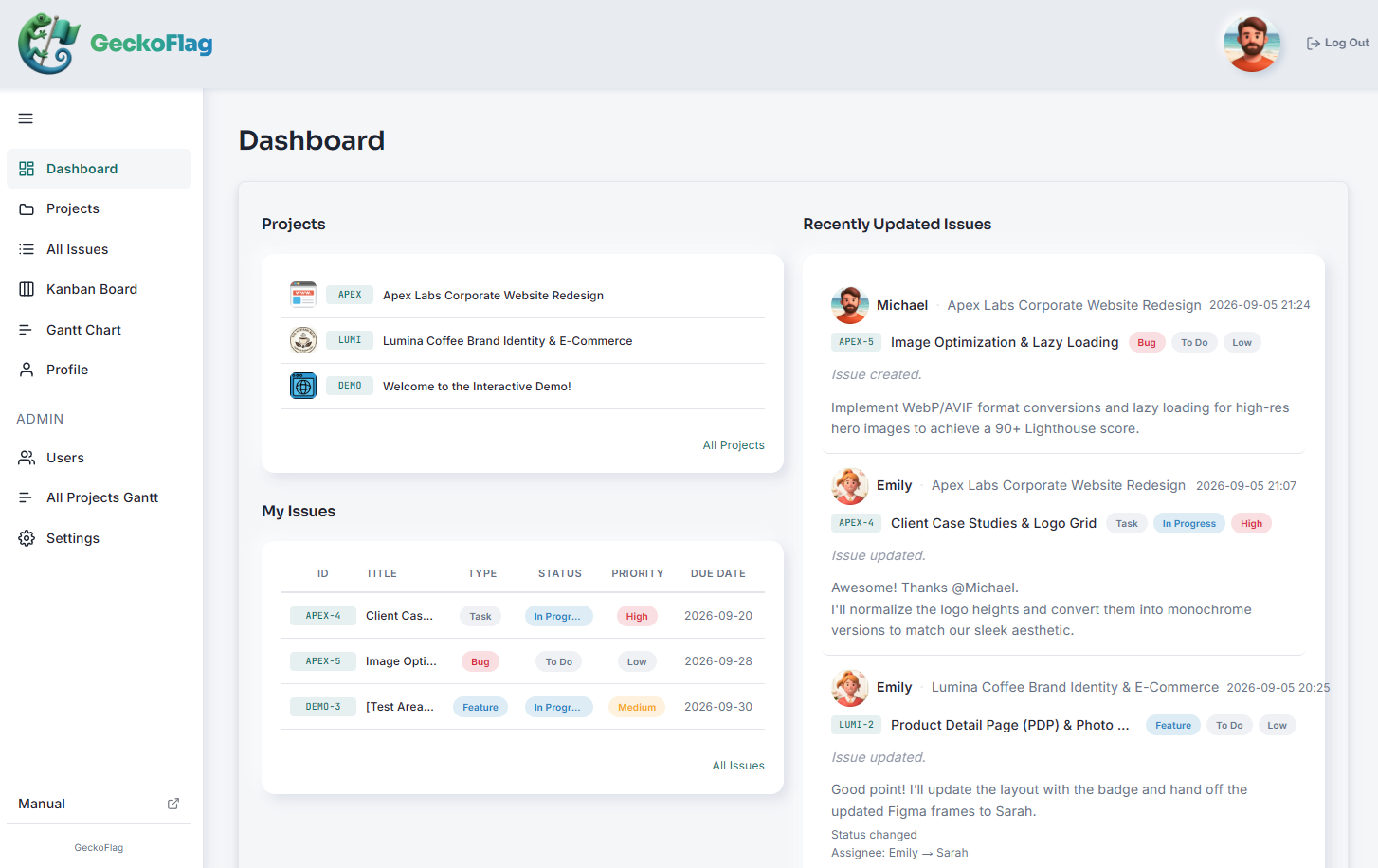
If your company website already runs on shared hosting, you may be able to install it there. You can check what is needed on the System Requirements page of the manual.
Note: if your company already has its own domain, most shared hosting lets you create a subdomain such as “geckoflag.yourcompany.com” and install it there. In that case, you do not need to buy a new domain.
Start with the demo and try creating one piece of recurring work as a project.