Series: Task Management Tips for TeamsPart 7
How to Write When Working with People Outside Your Company: Avoid Mix-ups with Clear Requests and Review Requests
About this series
“Task Management Tips for Teams” is an eight-part series, plus a bonus article, for teams that have just started using a task or project management tool. The tips apply to any industry, and you can read the articles in any order.
- How Should You Group Your Work?
- How to Write Tasks People Understand
- How Small Should Tasks Be?
- How to Set Assignees and Due Dates
- How to Reply to Comments
- How Should You Report Progress?
- How to Write When Working with People Outside Your CompanyThis article
- How to Close Out TasksComing soon
Bonus: “How to Write So Teammates Who Speak Other Languages Understand” (coming soon)
Something that takes a single word inside your company may not get through to people outside it. You think you’ve made a request, but it hasn’t landed. You ask for a review, and no reply comes. Most of these mix-ups happen because something the other side doesn’t know was never written down.
Note: this article is written by the developer of GeckoFlag.
The short answer: write the background, the request and what you need decided separately
For people outside your company, write the “why,” the “what” and the “what we need you to decide” separately. If you mix them together, the other person won’t know which part to answer.
How it differs from working inside your company
- They don’t know the background: they don’t know what was decided in your internal meetings, how things got here, or what’s going on inside your company.
- It’s hard for them to ask: because of their position, they may not feel able to ask “What does this mean?” and may go ahead on guesswork.
- Some information must not be shown: your internal costs, dealings with other clients, internal evaluations and so on.
A template for requests
A template for requests
- Background: why this work became necessary. Briefly, the history the other side doesn’t know.
- What we’d like you to do: what, and how far. The form of the deliverable (file format, quantity, size).
- What we need you to decide: anything you want them to decide. If there’s nothing, write “None.”
- Due date: by ___ (time) on ___ (date). Reason: ___.
- Materials: what you’d like them to refer to, and where it is.
- Contact: send questions to ___.
Writing a contact tells the other person it’s fine to ask when they’re unsure. The harder it is for someone to ask questions, the more this one line helps.
How to write a review request
- Narrow down what to look at: “Please check that the dates and addresses are correct” gets a more reliable answer than “Please check the whole thing.”
- Say how to reply: writing “If everything is fine, just reply ‘OK as is’” makes it easier for them.
- Give a deadline, and what happens if it passes: you can also write “If we don’t hear from you by ___, we’ll go ahead as is.” But don’t use this for anything involving money or contracts. For those, always get a reply.
Match your words to the other side
Internal abbreviations, project names only your company uses and industry jargon don’t get through to people outside. Especially when you’re asking for work across industries, the same word may be used with a different meaning. Before going ahead, check once what the important words mean.
Decide what to show
If you invite people from outside into your tool, keep projects that outside people will see separate from projects that are internal only (how to split them is covered in Part 1, “How Should You Group Your Work?”). Keep things like quote breakdowns and internal discussions in the internal-only one.
Invite them into the tool, or stick with email?
For people you exchange a lot with, inviting them into the tool keeps the materials and the history in one place. On the other hand, some people find logging in or learning a new tool a burden. For someone you deal with only a few times a year, keeping to email and having your side copy what was decided into tasks is another option.
An example of what can happen
A team wrote to a client, “Please treat this as the final proof,” but the client didn’t take it to mean that no more changes could be made. A change request arrived after the files had gone to the printer, and it cost extra. Since then, the team adds what it means: “This is the last check. Any changes after this will mean reprinting.”
How to invite outside people in GeckoFlag
- People invited with the “Guest” role can see only the projects they have joined. They can’t create new projects.
- Guests can still create and edit issues and post comments. Since it isn’t a view-only role, keep information you don’t want to show in a separate, internal-only project.
- Users are added by an administrator, and there is no way for people to sign up on their own. Your side decides who gets invited.
- Each member can choose their own display language, so partner companies abroad can use the screens in their own language.
- You can replace the site name and logo with your own, so clients see it as your company’s point of contact.
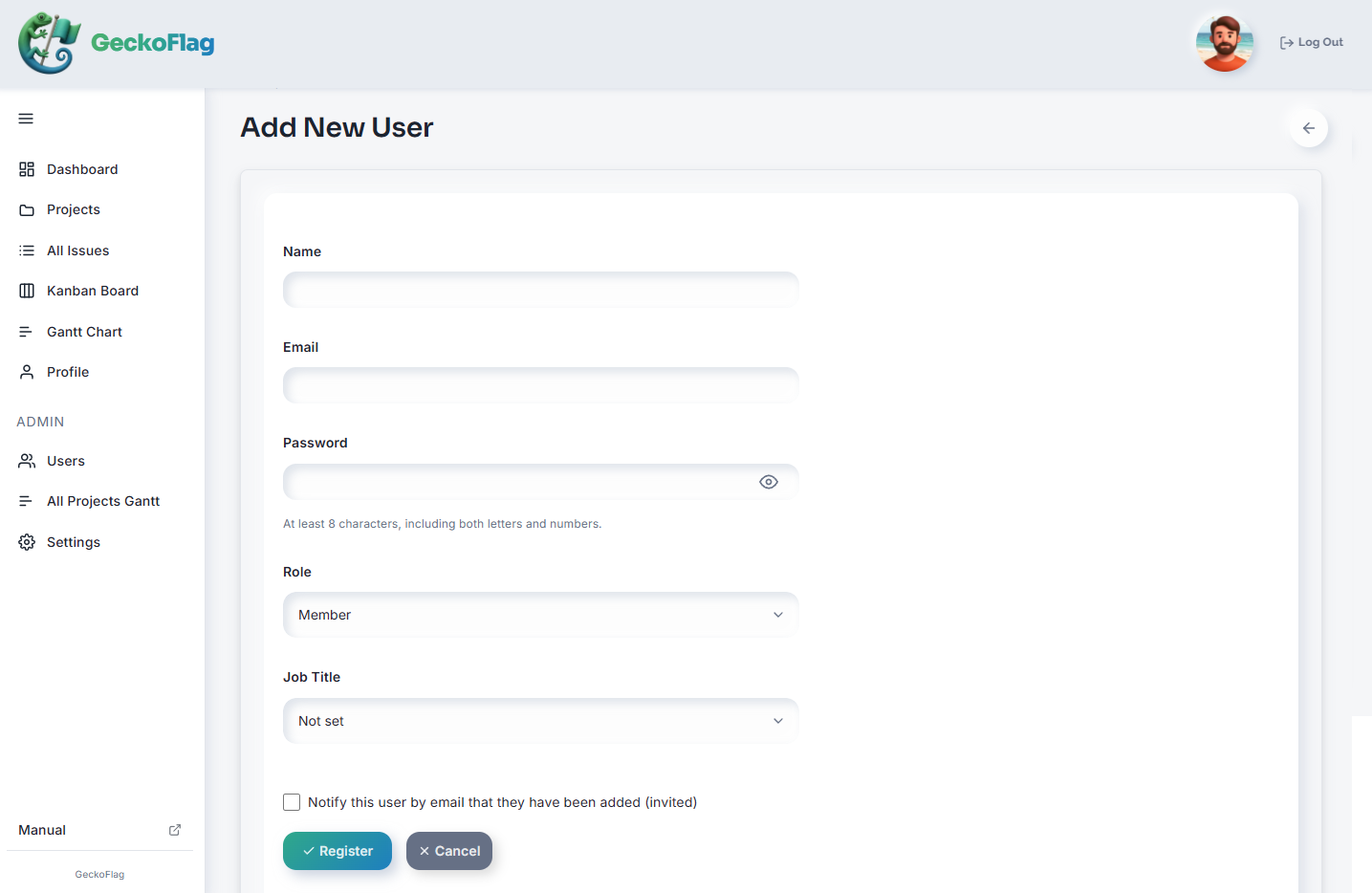
You can try the actual screens in the demo.
Summary
When asking people outside your company for something, separate the background, the request and what you need decided, and add a contact. In review requests, say what to look at and how to reply, and use projects to separate what they can see. Next time, in the last part of the series, we’ll look at how to close out work.
SeriesAlso see Part 1, “How Should You Group Your Work?,” and Part 5, “How to Reply to Comments.” The bonus article, “How to Write So Teammates Who Speak Other Languages Understand,” is coming soon
RelatedHow to keep work moving while you wait for a client’s review is covered in Part 5 of the series “Task Management for Teams Working with AI,” “Keep Work Moving While You Wait for Client Approval”