Series: Task Management for Teams Working with AIPart 4
AI Drafts Are Decision Material, Not Finished Work: How Creative Teams Keep a Record of Why They Chose
About this series
“Task Management for Teams Working with AI” is a six-part series for small creative and client-work teams that have started using ChatGPT or Gemini at work. You can read the parts in any order.
- Now That You Use AI, Do You Still Need a Task Management Tool?
- Frame Tasks Around What to Decide, Not Just What to Make
- Make “Waiting for a Decision” Visible
- AI Drafts Are Decision Material, Not Finished WorkThis article
- Keep Work Moving While You Wait for Client Approval
- With Good Records, AI Can Help Even More
The headline for a campaign page was on its third round of revisions. The team had shown the client several options made with AI, adjusting them a little each time.
At the end of the meeting, the client’s contact said, “I think the option you showed us before the second round was better.”
No one on the team could work out which option that was.
Last time, we split statuses by who you are waiting for, so you can see what is waiting for a decision. This time, we look at how to handle the options those decisions are based on.
With AI, you can produce as many options as you like. That is exactly why it gets easy to lose track of which options you showed, which one you chose, and why you passed on the rest. This article sets out how to treat AI output as decision material rather than finished work, and how to keep a record of the options you compared and why you chose the one you did.
Note: this article is written by the developer of GeckoFlag.
AI produces more options, but the record doesn’t keep up
When options take less effort to make, you end up with more of them. A banner that once got two options at most can now get five or ten, each going in a different direction, just by asking AI.
More options mean more comparing and more choosing. But almost none of it gets recorded.
- Options end up scattered: options made with AI stay in the AI chat of whoever made them, or in a folder on their own computer. No one on the team has the full picture.
- No one knows which options were shown: the options seen internally get mixed up with the ones shown to the client. Only the person who sent them remembers which ones went out.
- The reasons are lost: the chosen option may be kept, but why you chose it, and why you dropped the others, fades away in meeting conversations.
The scene at the top is what happens when all three come together. To find “the option before the second round,” you need to know who showed which option to whom, and when. And even if you find it, if you don’t know why you passed on it, you end up having the same discussion all over again.
Before you make options, decide what they are meant to decide
The trick to keeping a record lies before you make anything. Before you ask AI for options, be clear about which decision task they are for.
SeriesHow to set up decision tasks is covered in Part 2, “Frame Tasks Around What to Decide, Not Just What to Make”
Decide up front what you will compare the options on, too. For a page headline, for example, you might use points like these:
- Do the words reach the readers you have in mind?
- Does it fit the feel of the company or brand?
- Does it sit comfortably in the page layout and design?
Once you know what you are comparing on, you can ask AI more precisely. Instead of “10 headline ideas,” you can ask for “options aimed at dual-income households in their 30s, in a calm tone, 15 characters or fewer.” And when the options come back, lining them up against those points makes them easier to choose from.
The goal is not to make options. It is to gather the material you need to decide. When you know what you are deciding and what you are comparing on, AI output becomes decision material.
Narrow it down to two or three before you show anyone
We don’t recommend showing ten AI-made options as they are, whether to your team or to a client. Choosing from ten is a big burden for the other person. You are simply handing them the work of choosing.
Before you show anything, the person who made the options narrows them down to two or three, using the points you agreed on. Then add the following to each option:
- What the option is aiming for: one line, such as “prioritizes approachability” or “prioritizes trust”
- Your recommendation: which one you would go with
- Why you recommend it: one or two lines, based on the points you agreed on
With a recommendation, it is easier for the other person to answer “Let’s go with that” or “I prefer this one.” The decision comes faster, and the reason for the choice can go straight into the record.
For example, when deciding the direction for a banner
Say AI produced eight possible directions. Send all eight around for internal review, and opinions may split, so it can take days to decide. If the person who made them narrows them down to three and sends them with what each is aiming for and a recommendation, the review can sometimes be wrapped up within a single meeting.
Narrowing them down takes a little time. But compared with the time the other person would spend unsure, things move faster overall.
What to keep, and what you can let go
Records matter, but if you try to keep everything, you won’t keep it up. If you saved every exchange with AI and every option it produced along the way, the record-keeping alone would take up your whole day.
A good rule of thumb: keep just enough to answer when someone later asks “Why?”
| Keep | You can let go |
|---|---|
| The options you showed people (the final two or three) | Every option AI produced along the way |
| The option you chose, and why | The full text of your exchanges with AI |
| The options you passed on, and the main reasons | The history of small wording tweaks |
| Which AI you used, and the key points of what you asked | The pile of drafts that went nowhere |
“Which AI you used, and the key points of what you asked” is there for when you need to rework something in the same direction. If someone says, “Go back to the first option, but make it a bit softer,” knowing what you asked for that option lets you ask AI again.
Where to keep it
Once you know what to keep, agree as a team on where it goes. The key is not to leave it only in an AI chat or on someone’s own computer.
- The option files: put them in a shared space for each project. Include the date and the option name in the file name (for example, “1021_headline_option-A”).
- Why you chose it: write it in the decision task the option was used for. The task and the reason stay together, so they are easy to find later.
- The direction you settled on: add one line to the project’s notes of decisions. Write only what the next piece of work depends on, such as “The headline puts trust first.”
With these three in place, even in the scene at the top, “the option before the second round” can be traced through the task’s record. The reason you passed on it comes up too, so you can move the conversation forward: “We set it aside back then for this reason, but with the current direction, it could work as well.”
Things to keep in mind when showing options to a client
When you show a client options made with AI, pay attention not only to how you made them, but also to how they will be used.
- Check what has been agreed first: how options made with AI can be used may already be set by your agreement with the client or by your own company’s rules. Check the terms of use of the AI services you use, too.
- Say whether it is a mock-up or final: when you show photos or images made with AI, make it clear whether they are meant to be used as they are, or are just images to check the direction.
- Say what you want them to choose on: add what each option is aiming for, and what you want decided, for example, “This time, please choose the direction of the wording. We’ll polish the exact phrasing later.”
SeriesHow to ask clients to review and decide is covered in detail in Part 5, “Keep Work Moving While You Wait for Client Approval”
Putting it into practice in GeckoFlag
Here is how you can do this in GeckoFlag. The same ideas carry over to other tools as well.
1Put the files of the options you showed in “Files”
GeckoFlag’s Files is a storage space for each project. Create a folder such as “Options shown” and put the PDFs and design files of the options you showed people there (up to 10MB per file; if your server’s PHP setting is lower, that is the limit). Including the date and the option name in the file name makes them easy to tell apart in the list.
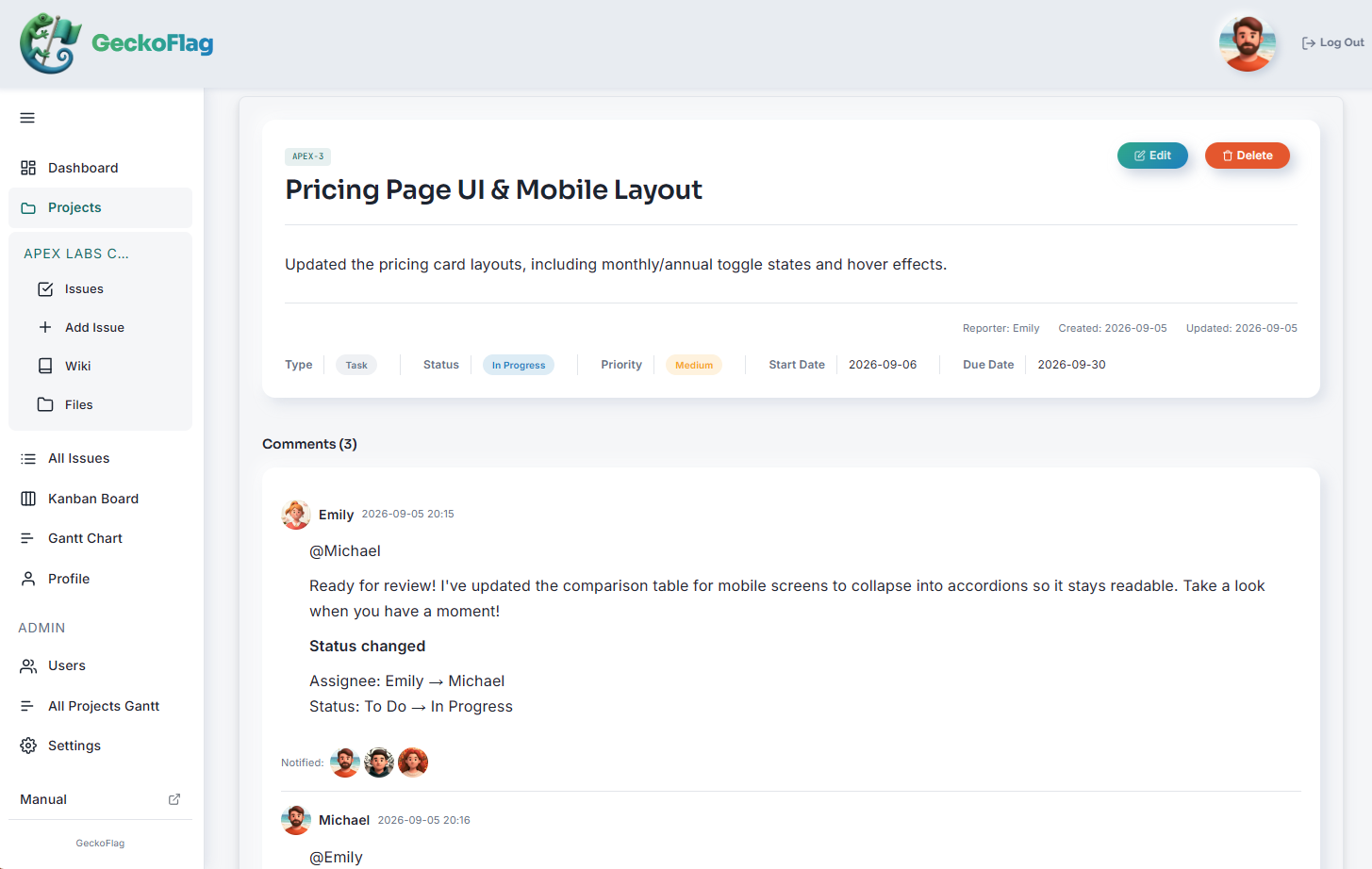
2Write the chosen option and the reason in a comment on the decision task
Write the option you chose, why you chose it, and the options you passed on with their reasons in a comment on that decision task. Comments support rich text, so you can organize them with headings and bullet points.
If your banner or copy options are images, you can attach them to the comment (up to 5MB each, up to 10 at a time). Lay out the two or three options you showed in the comment, and anyone can see which option is meant just by opening the issue.
When you post a comment, you can change the status at the same time. Post the comment with the reason and set the decision task to “Done” in the same step, and the decision and the change of state are recorded at once. At the same time, move the “make” task that will now be finished with that option to “Decided, finishing.”
SeriesHow to split statuses such as “Decided, finishing” is covered in Part 3, “Make “Waiting for a Decision” Visible”
3Add the direction you settled on to a “Decisions” page in the Wiki
Create a “Decisions” page in the project’s Wiki and add each direction you settle on as a bullet point. Write the date, what was decided and the issue number on one line, and the detailed reasons can be traced from the issue.
An example “Decisions” page
- October 21: The headline will put trust first (PJ1-12)
- October 21: Main visual. Use stock images at launch, and replace them with staff photos after the photo shoot (PJ1-8)
4Draft the reason comment with “Create with AI”
With GeckoFlag’s Create with AI, you can paste in your meeting notes and get a draft comment. If an administrator registers the headings “Chosen option,” “Why we chose it” and “Options we passed on, and why” in the output template for “Comment text,” drafts made with “Create with AI” follow the same headings in the same order, whoever uses it. (Headings with no matching information in the notes are left out.) The template is not inserted automatically when you write a comment by hand.
Using this feature requires an Anthropic API key and permission from an administrator. API usage fees are paid to Anthropic and are not included in GeckoFlag’s price. What AI creates is a draft, so check it before you post. Also note that your exchange with AI itself is not kept in GeckoFlag. What you want to keep is the comment you checked and posted.
You can try the ways of working covered in this series in the demo.
Summary
- AI output is not finished work; it is material for making a decision
- Before you make options, decide what they are meant to decide and what you will compare them on
- Narrow them down to two or three before showing anyone, and add what each is aiming for and your recommendation
- Keep the options you showed, the option you chose and why, why you passed on the others, and the key points of what you asked. Don’t keep everything
- Don’t leave it only in an AI chat or on someone’s computer; keep it in the decision task and the team’s shared space
Now that AI makes options easy to produce, choosing carries more weight than ever. If you keep the reasons for your choices, you can move forward calmly even when someone says, “Let’s go back to the first option.”
Next time, we look at how to keep work moving while you wait for approval when the person deciding is the client.