Polishing Products in the Age of AI: Seven Practices to Make Work People Choose, Not Work That Feels AI-Generated
Text, images, designs, code: with AI, you can now get something that looks finished in a few minutes. Websites, articles, apps, ad banners. We are surrounded by digital work made with AI’s help.
At the same time, “it feels AI-generated” has become a clearly negative thing to say. Designs you feel you’ve seen before, text with little substance, images that look slightly off. Users spot these quickly, scroll past them, and sometimes find them off-putting.
So should you avoid AI? The answer is clearly no. AI will keep improving, and the reasons not to use it will keep shrinking. The real question is not whether you use it, but whether you can polish what you make with AI into something people choose.
This article assumes you use AI actively, and looks at what to do, and what to watch out for, to turn that work into products users accept.
Key takeaways
- AI is a tool you should use without hesitation. But anyone can use it, so using it no longer sets you apart.
- What users dislike is not AI. It’s the generic, made-for-no-one, careless feel that signals cut corners and no one taking responsibility.
- Let AI produce raw material and check work, while people ask the questions, choose and take responsibility. We cover seven practices for doing this.
Note: this article is written by the developer of GeckoFlag.
AI is a tool to use without hesitation
First, the value of AI is clear.
- Speed: it can produce many rough drafts and sketches in minutes
- Volume and coverage: it lists the options and points out what you might have missed
- Checking: it flags typos, bugs in code, accessibility issues and more
- Help outside your field: knowledge outside your own expertise is close at hand
- Localization: it gives you first-pass translations and hints for adapting to each market
These abilities improve every year. Small teams and individuals can now take on work at a scale that once needed a large organization. There is every reason to use it.
But there’s one thing to keep in mind: the same tool is available to everyone. The AI you can use, your competitors can use too. Using AI no longer sets you apart. The difference lies in what you add to what AI gives you.
Why “AI-generated” feels off-putting
When users feel something is “AI-generated” and move on, what they dislike is not AI itself. It’s a set of signals that the work gives off.
It feels like something you’ve seen before
AI output tends to drift toward a “plausible average” of the data it learned from. When everyone uses similar tools with similar instructions, the results start to look alike. Balanced, yet forgettable. That’s the first signal.
It’s unclear who it’s for
Content that “applies to everyone” is, in other words, content for no one. When it only lists generalities and never gets into the reader’s situation or problems, users feel it isn’t about them.
It sounds right, but says nothing
The headings are tidy and the words flow. But there are no concrete numbers, no real experience, no clear conclusion. Writing that leaves nothing behind existed long before AI, but AI has multiplied it.
The details are careless
Odd spots in images, meaningless icons, button labels that don’t fit the context, screens with no thought given to empty states or errors. Rough details tell users that no one looked at it all the way through.
As these signals add up, users conclude that the product wasn’t made with care for them. In other words, what people dislike is not AI, but the feel of cut corners and no one taking responsibility.
What products people choose have in common
On the other hand, products that use AI and still get chosen share some traits.
They contain first-hand information
Results from actually using something, what you saw in the field, what users told you, what you learned from your own mistakes. Information AI doesn’t have is valuable in itself. However much AI improves, it can’t supply first-hand information for you.
They have a point of view and make choices
When it’s clear who a product was made for, and what was kept and what was dropped, you can feel the maker’s intent. Instead of an average answer that tries to please everyone, it chooses an answer that resonates deeply with specific people.
The details are intentional
Every button label, every error message, every bit of spacing has a reason. The makers have anticipated where users might stumble and taken care of it. These details add up to trust that the product was “made properly.”
They are consistent
The tone of the writing, the look of the design and the feel of the interactions match everywhere you look. Simply assembling parts that AI made one by one rarely produces this consistency.
You can see who stands behind them
Who makes it, whether they answer when you ask, whether it keeps getting better. Seeing the makers and their responsibility is a big reason users feel safe choosing a product.
What to leave to AI, and what people keep
To make full use of AI and still end up with a product people choose, the shortcut is to be clear about who does what.
| Stage | What AI can take on | What people should keep |
|---|---|---|
| Planning | Listing options, organizing competitors and examples | Deciding who the work is for, and in what situation |
| Production | Producing lots of rough drafts, sketches and first drafts | Choosing what to use and what to drop |
| Finishing | Suggesting typos, inconsistent wording and possible bugs | Refining tone and details, and creating consistency |
| Checking | Thorough checks against a checklist | Actually using it, and making sure the experience feels right |
| After launch | Sorting and summarizing feedback | Deciding what to fix first, and taking responsibility for improving it |
The key point is that people never give up asking the questions, choosing and taking responsibility. AI is a capable maker and a capable checker, but deciding “this is ready to go out” is a person’s job.
Seven practices for polishing a product
1Start by writing who it’s for, and when, in one sentence
Before asking AI for anything, write one sentence on who will use it, in what situation, and what problem they have at that moment. For example: “The leader of a creative team of about five people, bringing in a project management tool for the first time, looking for material to explain it to their boss.” If this sentence is vague, the AI’s output will be average too.
2Treat AI’s first draft as raw material
AI’s first output is essentially an average. If you stop there, you end up with something people feel they’ve seen before. Think of the first draft not as finished work but as material to cut and rearrange.
RelatedHow to choose from AI’s suggestions and keep a record of why is covered in Part 4 of the series “Task Management for Teams Working with AI,” “AI Drafts Are Decision Material, Not Finished Work”
3Add first-hand information
Your own experience, real numbers, things that didn’t work, something a customer said in passing. Adding even one piece of information like this makes the work truly yours.
4Cut
AI is good at adding. It adds headings, piles on explanations and tacks on just-in-case caveats. That’s exactly why people need to own the decision to cut. Boldly dropping what doesn’t serve your message makes the message stand out.
5Put intent into the details
The words on buttons and messages, what’s shown when there’s no data, guidance when something goes wrong, how loading looks. The details users actually touch are the ones most likely to be left as AI produced them. Go through them one by one, thinking about how the user feels in each moment.
6Use it, read it, say it out loud yourselves
Use what you’ve made as a user would. Read text out loud; use an app in your real work. Things that feel off become visible when you use it, not when you just look at it on screen. Write down what feels off right away, and fix it one item at a time.
7Decide your own style, and what you won’t use
Agree as a team on your tone of voice, design style and favorite phrasings, as well as phrasings and expressions you won’t use, and share them. If you reflect these in the instructions you give AI, the output gets closer to your style from the start. But review them from time to time, so the style itself doesn’t become a new “template.”
Things to watch out for when polishing
Don’t make “hiding the AI” the goal
What matters is adding value for users, not hiding traces of AI. “Disguises” such as adding typos on purpose to look human, or inventing experiences or user testimonials, do great damage to trust when they come to light. Polishing is not covering up.
Check facts and rights
AI sometimes states plausible errors with great confidence. Always check numbers, names, quotes and specifications against the original source. It’s also essential to check rights: whether generated images or designs resemble existing works or trademarks, or depict real people.
Think ahead about how you disclose AI use
Depending on the region or platform, labeling content as AI-generated is increasingly required in some situations. Rather than treating it as a choice between hiding and revealing, be ready to explain where you used AI, where people made the decisions, and who is responsible. That is what earns users’ trust in the end.
Don’t compete on volume
With AI, you can produce articles and pages in bulk. But search engines and users are both getting stricter about thin, mass-produced content. In the long run, 10 deep articles keep getting chosen over 100 average ones.
Don’t lose the ability to polish
The more you leave to AI, the fewer chances people get to train their eye for what’s good and what isn’t. If that judgment fades, you can no longer polish at all. Keeping up the habit of sharing the reasons for decisions within the team and reviewing each other’s work is the best way to keep that ability.
RelatedHow to share decisions and set up reviews is covered in detail in “Team Communication in the Age of AI”
Polishing means adding up small improvements
Polishing a product doesn’t end with one big revision. Things that felt off when you used it, points raised in review, feedback from users. You pick up these small improvements one by one, fix them and check them. Over time, they add up to the feel of a product that was “made properly.”
That’s why it matters not to let improvement points slip away. A comment like “this bothers me” in chat is usually forgotten. If you record each one as a task, along with who will handle it and why that fix was chosen, the work of polishing builds up as an asset for the team.
RelatedHow to write improvement points is covered in “How to Write Tasks People Understand,” and how to keep records once work is done in “How to Close Out Tasks: Criteria for Done and Records You Can Look Back On” (series “Task Management Tips for Teams”)
How to polish with GeckoFlag
The seven practices above work with any tool. As one example, here is how you might apply them in GeckoFlag, a self-hosted project management tool.
| Practice | How you might do it in GeckoFlag |
|---|---|
| 1 Decide who it’s for, and when | Write the sentence in the project’s description. Every member who joins starts from the same premise |
| 2 Treat the first draft as material | Split “make the first draft” and “finish it” into separate issues, so a first draft alone doesn’t count as done |
| 3 Add first-hand information | Collect what you learned from interviews and research in the project’s wiki. Keep photos and documents in the project’s files so the team can reuse them |
| 4 Cut | Leave what you cut, and why, in the issue’s comments. Later, you can trace why something was removed |
| 5 Put intent into the details | Make “finishing the details” a parent issue, and turn empty states, error guidance, loading screens and so on into child issues you complete one by one |
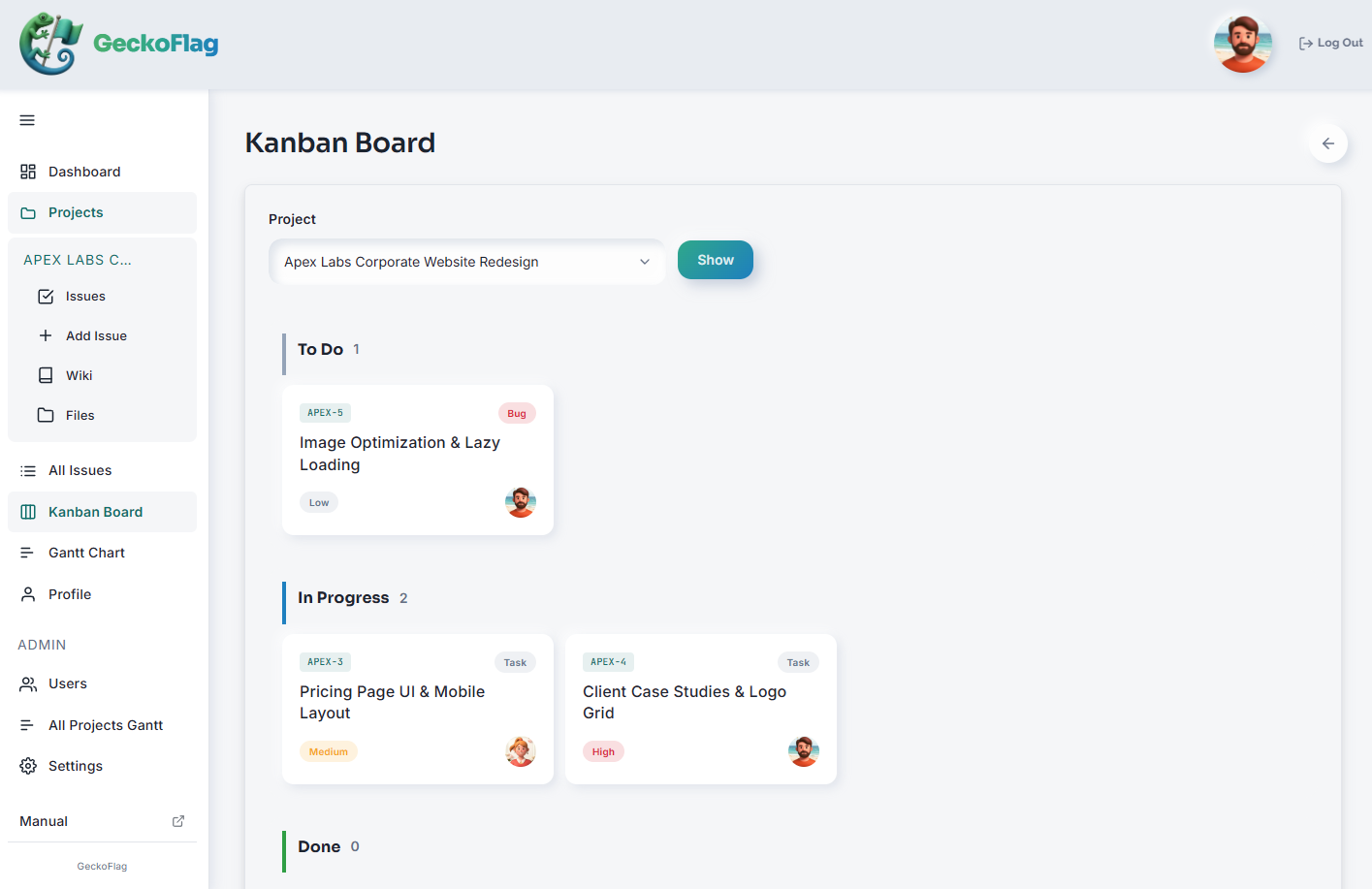
| 6 Use it yourselves | Turn anything that feels off into an issue on the spot. Have an administrator add an “Improvement” issue type, and use priority to decide the order of fixes. Track progress on the Kanban board |
| 7 Decide your style and what you won’t use | Collect your tone of voice, expressions you won’t use and the instructions you give AI in the wiki, so the whole team uses the same ones. If you use “Create with AI,” an administrator can register output templates to keep the format of AI-drafted issue descriptions and wiki pages consistent |
| After launch | Invite clients as “guests” and show them only the projects they join. Their feedback can come in directly as issues. Guests can also edit issues and comment, so keep internal discussions in a separate project |
GeckoFlag’s “Create with AI” is a feature in which AI suggests field values for issues, comments, projects and wiki pages from meeting notes, memos, chat screenshots and the like. It doesn’t create the finished work you release, such as articles or designs. Only users an administrator has allowed can use it, only the items you check are filled into the form, and a person saves it. It’s built on the same division of roles as this article: AI suggests, people choose and take responsibility.
You install it on your own server, so discussions about the product you’re making build up under your own control (managing the server is your responsibility; when you use “Create with AI,” the text and images you enter are sent to Anthropic’s API). With each release, the developer runs security checks themselves and publishes the results on the security page (this is not third-party certification or an audit). It’s a one-time purchase of $30, with no extra charge as your team grows (server costs are separate, as are Anthropic API fees if you use “Create with AI”). You can try the actual screens in the demo.
Summary
- AI is a tool to use actively and without hesitation. But using it no longer sets you apart
- What users dislike is not AI, but the generic, made-for-no-one, careless feel of cut corners and no one taking responsibility
- Products people choose have first-hand information, a point of view, intentional details, consistency and visible responsibility
- Let AI produce raw material and check work; people ask the questions, choose and take responsibility
- Polishing means adding value, not disguising. And it means adding up small improvements
The more AI there is, the more the parts people finish by hand stand out. Make full use of AI, and put the time it frees up into polishing. That is likely to become the foundation of how products are made from here on.