How Much Do AI Features in Project Management Tools Cost? Billing Types and Estimates by Team Size
AI features are now standard in project management tools. But “how much will AI actually cost us?” is surprisingly hard to answer from a pricing page.
Some tools include AI in the monthly fee, some charge credits, some sell a per-user add-on, and some have you pay the AI company directly.
This article sorts the AI features of the main project management tools into five billing types, then estimates what a team of 5, 10 or 20 people would pay each month.
The short answer
- AI costs are set on a different axis from the tool’s own price. The question to ask is: “What does the cost grow with?”
- Per-seat pricing charges for everyone, even if only a few people use AI. Usage-based pricing costs almost nothing if you do not use it.
- Credits that are “included in your plan” do not cover many uses. Jira Standard includes 25 credits per user per month, which is 2.5 quick chat answers.
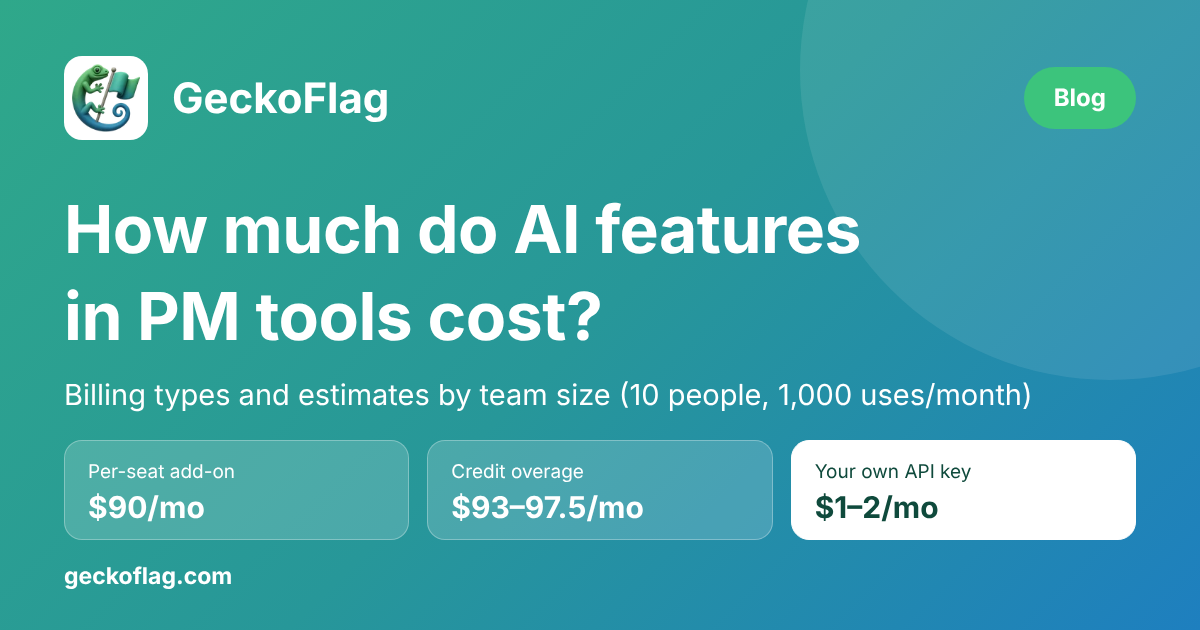
- For 10 people using AI 1,000 times a month in total, bringing your own API key came to $1–2 a month, a per-seat add-on to $90, and credit overage to $93–97.50.
- What each tool’s AI can do varies a lot, though. If you choose on price alone, you may end up without the feature you wanted.
Note: this article is written by the developer of GeckoFlag. All prices and specifications were checked on each vendor’s official pages on October 11, 2026.
AI billing comes in five types
Grouped by what the AI cost grows with, there are five types.
| Type | Cost grows with | Examples | Watch out for |
|---|---|---|---|
| 1. Credits bundled with the plan | Uses beyond the bundled amount | Jira, Asana, Plane (cloud), Leantime (cloud) | You cannot predict the real cost until you work out how many uses the bundle covers |
| 2. Higher plans only | The price difference between plans, plus extra credits | Notion | You have to upgrade your plan to use AI |
| 3. Per-seat add-on | The number of members | ClickUp | You also pay for people who do not use it |
| 4. Bring your own API key | The number of uses and the amount of text | GeckoFlag, Plane (commercial self-hosted edition), Redmine + AI Helper plugin | You obtain and manage the API key yourself |
| 5. Not available yet / in development | Nothing | OpenProject | You combine it with an external AI tool |
Types 1–3 are paid to the tool vendor. Type 4 is paid directly to the AI provider (Anthropic, OpenAI and so on).
Because the tool vendor adds no markup, type 4 has the lowest unit cost. In return, the setup and management work falls on you.
AI pricing by tool (as of October 2026)
Here is how each tool charges for its AI features.
Jira (Rovo): credits bundled with paid plans
- Paid plans include Rovo credits: 25 per user per month on Standard, 70 on Premium and 150 on Enterprise.
- Credits are pooled across the organization and reset every month. They do not roll over.
- Rovo Search, definitions and summaries are free. A quick chat answer and similar actions cost 10 credits each; advanced features vary with the task.
- From December 3, 2026, usage beyond the included credits will be billed. The list price is $0.01 per credit.
- Extra usage is turned on by default. Admins can set a spending limit or turn it off.
ClickUp (Brain): a per-user add-on
- In the AI section of the pricing page, Brain AI costs $9 per user per month and Everything AI $28.
- Brain AI includes unlimited AI chat and writing. For agents and automations, it adds 1,500 AI credits per user per month.
- Extra credits cost $10 per 10,000.
- The same page also lists new plans that include AI credits (Core at $8 a month and Business at $17). Check which pricing applies to you before you sign up.
Asana: a small number of requests bundled with paid plans
- AI features are included in paid plans. Starter costs $10.99 per user per month, billed annually.
- AI Teammates and Asana Dash come with 5 requests per user per month. On Starter and Advanced, the whole account is capped at 50 requests a month.
- Extra requests cost $0.50 each prepaid, or $0.60 each pay-as-you-go.
- The AI assistance built into projects and tasks is included in paid plans.
Notion: Business plan and above
- Notion Agent, which handles chat and document generation, is available on the Business plan ($20 per member per month) and above.
- The Free and Plus ($10 a month) plans only get a trial.
- Custom agents, which carry out work automatically, are charged separately at $10 a month per 1,000 credits.
Plane: credits in the cloud, your own API key when self-hosted
- The cloud version includes 500 credits per seat per month on Pro ($6 per seat per month) and 1,000 credits on Business ($13 a month).
- The commercial self-hosted edition runs on your own API key from OpenAI, Anthropic, AWS Bedrock and others.
- According to the setup guide, however, you need a dedicated AI database, OpenSearch and an embedding model. Setting it up is a sizable job.
Leantime: 500 credits a month in the cloud
- The cloud version, Leantime Pro, costs $10 per user per month ($8 billed annually) and includes 500 AI credits a month.
- In the feature table on the same page, the AI row is not checked for the open-source version.
Redmine: not built in, added with a plugin
- Redmine itself has no AI features. You can add them with the AI Helper plugin (MIT license).
- It supports AI chat, issue and wiki summaries, subtask generation, similar-issue search, project health reports and more.
- You provide your own OpenAI or Anthropic API key and pay the AI provider for usage.
- Similar-issue search needs the Qdrant vector database and does not work with Anthropic models.
OpenProject: in development
- The official AI roadmap lists work in progress such as an in-house LLM platform that does not depend on outside services. That page does not list any AI features that have already shipped.
Estimates by team size: what do 5, 10 and 20 people pay a month?
To make “what would our team pay?” concrete, we assumed each person uses AI 100 times a month and calculated the extra monthly cost of AI alone. The tool’s own subscription is not included.
| Tool (billing type) | 5 people, 500 uses/month | 10 people, 1,000 uses/month | 20 people, 2,000 uses/month |
|---|---|---|---|
| GeckoFlagYour own API key | $0.50–1 | $1–2 | $2–4 |
| ClickUp Brain AIPer-seat add-on | $45 | $90 | $180 |
| Jira PremiumCredit overage | $46.50 | $93 | $186 |
| Jira StandardCredit overage | $48.75 | $97.50 | $195 |
All amounts are in US dollars, as shown on each vendor’s pricing page.
How we calculated
- GeckoFlag: turning 1,000 characters of meeting notes into an issue description of about 1,500 characters costs roughly $0.001–0.002 per use (Claude Haiku 5.5, from the cost estimate on the GeckoFlag feature page). Higher-tier models cost about 20 times as much with Claude Sonnet 5.5 and about 40 times as much with Claude Opus 5.5.
- ClickUp: $9 per user per month for Brain AI, multiplied by the number of people. AI chat and writing are unlimited, so the amount does not change as usage grows.
- Jira: every action is counted as a 10-credit action. Ten people need 10,000 credits; we subtracted the included credits (700 on Premium, 250 on Standard) and multiplied the rest by $0.01 per credit. Overage billing starts on December 3, 2026. If you only use free features such as summaries, there is no charge.
- Asana, Notion, Plane and Leantime are left out of the table because the public information does not let us work out how much one action consumes.
With light use, the gap narrows
For the same 10 people, the picture changes completely if each person uses AI only 10 times a month. At 100 uses and 1,000 credits in total, Jira overage comes to $3 on Premium and $7.50 on Standard. GeckoFlag comes to $0.10–0.20. The ClickUp add-on stays at $90 no matter how much it is used.
Credits suit teams that use AI lightly, and per-seat add-ons suit teams where everyone uses it every day. With your own API key, the unit cost stays the same either way.
Three differences price alone will not show
We have compared amounts so far, but the cheapest option is not always the best deal. There are at least three differences that pricing pages do not show.
1What the AI can do
The biggest one is the kind of work you can hand over to the AI.
| What you want to do | Jira, ClickUp | Redmine + AI Helper | GeckoFlag |
|---|---|---|---|
| Ask questions across accumulated issues | ○Yes | ○Yes | ×No |
| Write progress reports | ○Yes | ○Yes | ×No |
| Draft issues and comments | ○Yes | ○Yes | ○Yes |
| Create issues from screenshots | Depends on the tool | Can analyze attachments | ○Yes |
The AI in tools like Jira is an “advisor” that reads your accumulated data and answers questions. GeckoFlag’s AI is an “input assistant” that drafts entries from text or images you paste in; it cannot search across issues or write reports.
2Where your data goes
- With AI built into a SaaS tool, your data is processed by the tool vendor and by the AI provider behind it.
- With your own API key, data is sent directly to the AI provider you signed up with. You can check the terms yourself, but checking them is also your responsibility.
- Either way, what you enter is sent to an outside service. Before you start, check that your internal rules and client contracts allow it.
3Whether admins can cap the cost
- In Jira, admins can set a spending limit on extra usage. However, extra usage is turned on by default.
- In GeckoFlag, nobody can use AI by default. Admins allow it per user and can set a daily limit on uses per person.
Which type should you choose? A guide by team situation
Here is a summary of the points above, by team situation.
| Your team’s situation | Best-suited type |
|---|---|
| You want to search past issues or have reports written automatically | AI built into SaaS (Jira, ClickUp) |
| Everyone uses AI many times a day | Per-seat add-on (ClickUp Brain AI) |
| Only some people use it, and not very often | Credits or your own API key |
| You only need less work creating issues and writing text | Your own API key (GeckoFlag, Redmine + AI Helper) |
| Your data cannot leave your company | No AI, or a tool that can run your own model (such as Plane’s commercial self-hosted edition) |
If you are unsure, start by counting who will use AI and how many times a month. Plug that number into the estimates above, and the difference between the types shows up as a concrete amount.
How GeckoFlag’s “Create with AI” works
Finally, a few words about our own tool, GeckoFlag. GeckoFlag is a self-hosted project management tool that you buy once and install on your own server, including ordinary shared hosting. Its AI feature, “Create with AI”, uses type 4: you bring your own API key.
- What it does: drafts issues, comments, projects and wiki pages from meeting notes, memos or chat screenshots.
- People do the saving: the AI only makes suggestions. Only the fields you tick are filled into the form, and you save with the usual button.
- Cost: you register an API key you issued at Anthropic. You pay Anthropic directly for usage; it is not included in GeckoFlag’s price.
- Cost per use: roughly $0.001–0.002 with Claude Haiku 5.5. Attaching one smartphone screenshot adds about $0.0004.
- Admin controls: per-user permission, a daily usage limit, and encrypted storage of the API key.
Where GeckoFlag’s AI falls short
Of course, there are things it is not good for.
- The only supported AI is Anthropic’s Claude. You cannot choose models from OpenAI or other providers.
- There is no feature for asking questions across accumulated issues or for writing reports.
- Your server must be able to connect to api.anthropic.com over HTTPS. Some shared hosts restrict outgoing connections.
- You get the API key and buy credits yourself. The steps are in the Create with AI setup guide (Claude API).
You can see the actual screens in the demo, and the price is on the pricing page.
Summary: check what “AI included” really means
The cost of AI features changes a lot depending on whether it grows with seats or with usage. Do not judge by an “AI included” label alone; check how many uses the bundle covers and what you pay once you go over.
Jira starts billing for overage on December 3, 2026, which makes this a good moment to review how your team uses AI and what it costs. We hope this article helps you choose the right tool for your team.
Sources
- How Rovo credits work (Atlassian Support)
- ClickUp Pricing
- Asana Pricing
- Notion Pricing
- Plane Pricing
- Plane Self-hosted
- Configure Plane AI (Plane Developer Docs)
- Leantime Pricing
- Redmine AI Helper Plugin (GitHub)
- OpenProject AI roadmap
- Pricing (Claude Platform Docs)
Note: prices and specifications were checked on the pages above on October 11, 2026. Check each vendor’s official page for the latest information before you sign up or install anything.